I wish someone from GlassWire had weighed in on this!!! And still will!
I think I have figured out at least some of it and things are less alarming than I first thought.
I got a pop-up about a “first network access”
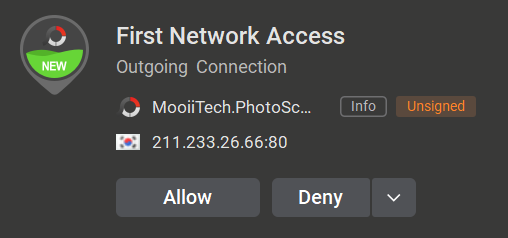
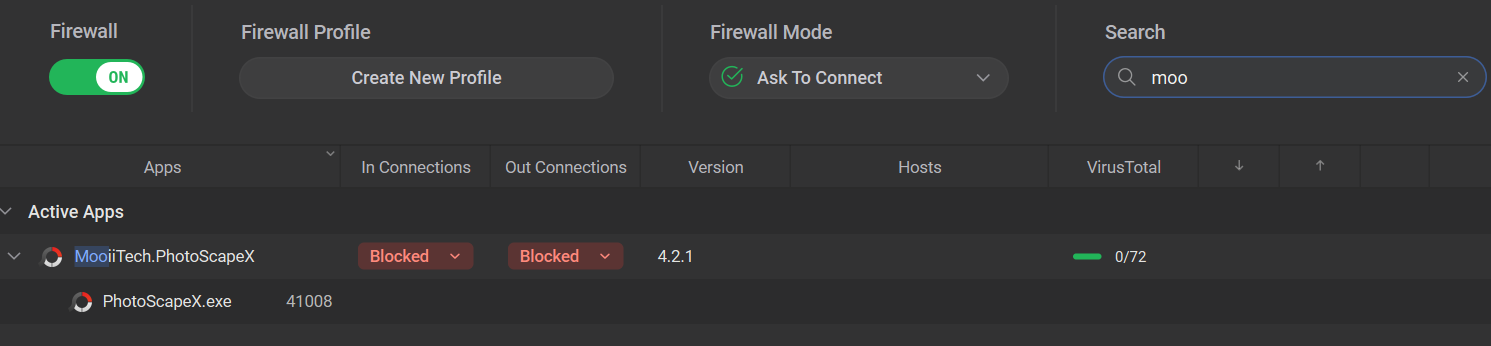
Before answering the prompt, I brought up GlassWire and searched on the program in question. It was showing as “Blocked” for both inbound and outbound.
I then clicked the “Allow” in the pop-up and GlassWire immediately showed the program as “Allowed” for in and out
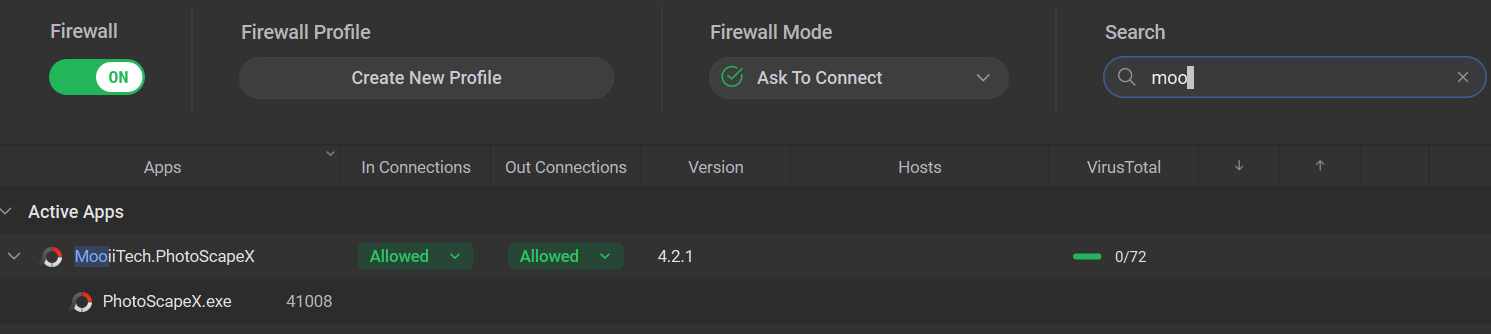
So that sort of makes sense: If I look at the list of apps in GlassWire, only those that show as “Allowed” will in fact allow traffic to flow. Those that show “Blocked” will not allow traffic until/unless I allow it through the pop-up (I am in “Ask to connect” mode).
However: Looking at the “GlassWire Protect” tab, I see lots of things blocked and allowed that I did not explicitly block or allow! I have no way of know if a blocked app will silently block things at some point or pop-up and ask me for permission at some point. If I explicity block an app, I don’t want GlassWire asking me again if/when the app tries to access the network - I already said to block it. But if I didn’t explicitly say to block it, I do want GlassWire to ask me if/when the app tries to access the network.
I get the feeling this change in behavior with GlassWire 3.7.880 has promise. But I am uncertain as to exactly what is happening.
Uncertainty is frustrating.
If anyone else has ideas that can clarify my (quite likely) muddled thinking on this, please say so!