Thank you to everyone who replied, and I’d like to clarify a few points. When I chose to install and run the Evorim firewall, I knew it wasn’t the strongest in its field, but I chose it for several reasons:
1- I was using Comodo, and some problems occurred on my computer. I suspected that was the cause, so I uninstalled it to be sure. I needed a fast, free, and powerful alternative, and Evorim came along. When I asked Chatgpt about it, he recommended it, saying it met my needs at the time and suited my computer’s capabilities.
2- What made me choose Evorim was a feature that distinguished it from other firewalls I’d seen: the ease of customizing blocking and unblocking, and the simplicity of the settings. This made it superior to others in my opinion at the time, even if it wasn’t as strong a protection as them. Also, after using it, I found that it detected many internet connections from programs and services that Comodo didn’t, giving me complete control over them. However, to be honest, I can’t say for sure whether Comodo detected these connections, dealt with them, and blocked them automatically without notifying me, or whether it didn’t detect them and considered them normal connections. He’s waiting for me to discover them myself and report them as prohibited connections that he should block. I don’t know.
3- Also, at that time, I hadn’t started using GlassWire, so there wasn’t a problem caused by Evorim Firewall, especially after I tested it for several days and nothing objectionable appeared.
4- Even when I started using GlassWire, the conflict between the two programs didn’t appear from the beginning, and they worked side-by-side normally until I discovered the problem and started investigating it. I understood that there was a conflict between the protection method used by Evorim Firewall and the way GlassWire works. As I mentioned before, one of the advantages of Evorim Firewall is the simplicity of its settings; it doesn’t have many settings, just a few options. However, it seems that this advantage has turned into a disadvantage in this case because its protection method cannot be modified, and this is the same method that causes the conflict and sometimes prevents GlassWire from starting, even though it allows it to work perfectly normally at other times.
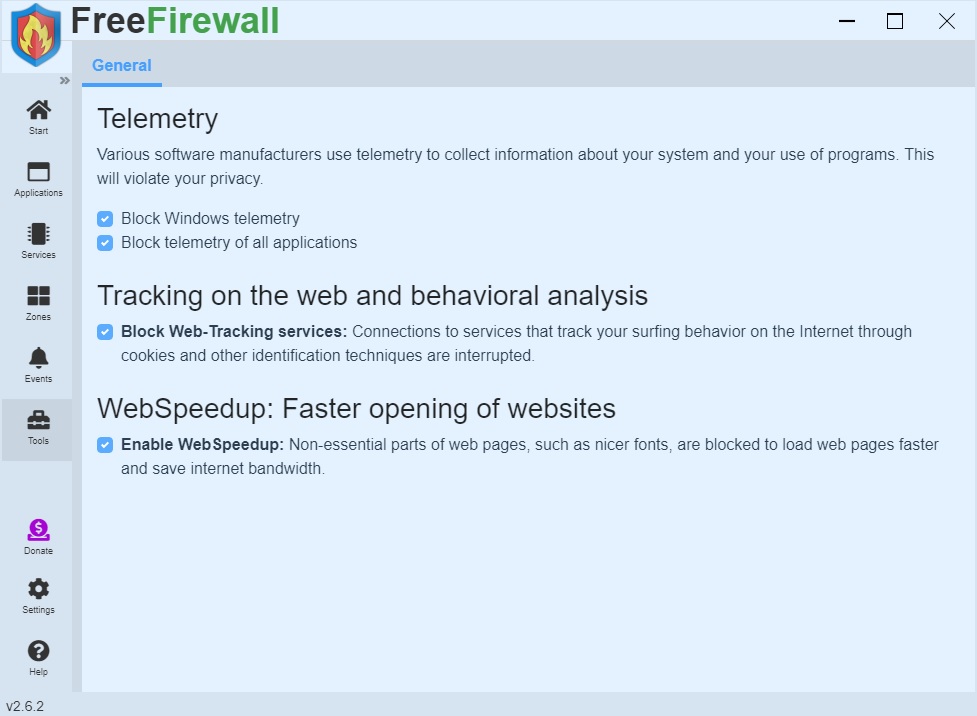
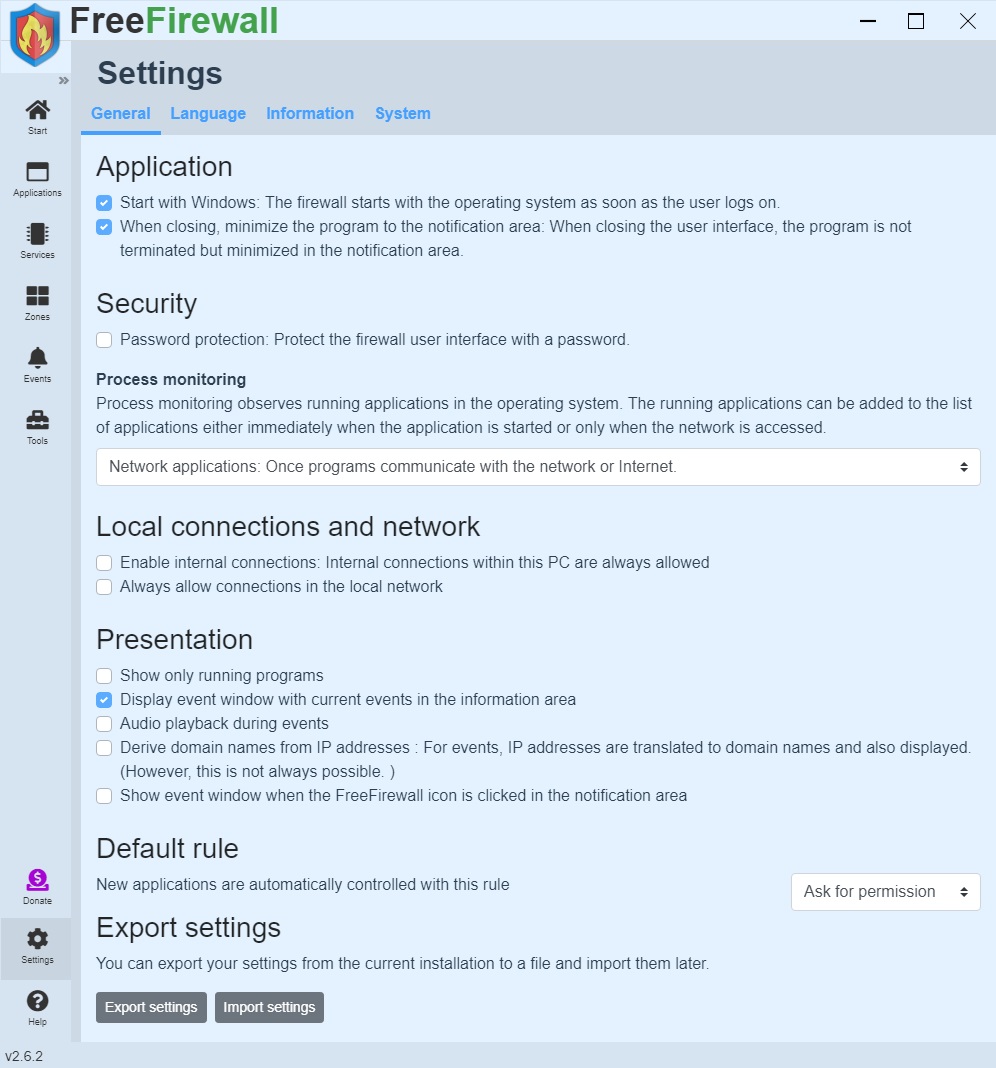
5- In response to your questions, I say: I don’t use more than one firewall. At the same time, I disabled the Windows Firewall as soon as I installed evorim firewall. Even if I hadn’t installed it, I would have disabled the Windows Firewall because I don’t trust Microsoft services. If I weren’t so inexperienced with Linux, I would have abandoned Windows altogether without a second thought. Therefore, the possibility of a conflict between the two firewalls is nonexistent, as the Windows Firewall is closed, and the firewall integrated with GlassWire is also closed. Only evorim firewall is functioning. However, this doesn’t preclude the possibility of other Microsoft services running in the background, which evorim firewall blocks, thus affecting GlassWire and preventing it from working. Previously, when the problem occurred, I would access the evorim firewall settings and disable the option to block Windows telemetry, and GlassWire would resume working. If I enabled it, it would stop working. Now, disabling this option is ineffective. Whether it’s enabled or disabled, GlassWire either doesn’t work or suddenly activates, and I don’t understand why or how. I’ve even disabled all firewall options, yet the problem persists. This is what baffles me and has driven me to… Regarding your question, I hope you can provide an explanation (images of the firewall settings will be attached in next my reply for clarification).
I tried to make one of the applications start later than the other, but this trick didn’t work.
What happens is as follows:
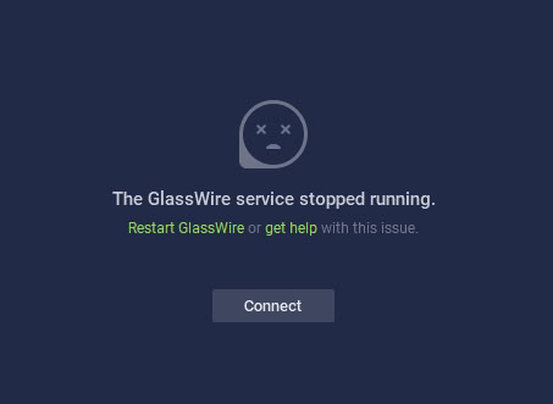
When I enable the evorim firewall, GlassWire stops working and this screen appears.
When I disable the evorim firewall, GlassWire resumes normal operation.
Sometimes they work together perfectly without any conflicts.
I hope the problem is now fully clear, and I hope you can help me find a solution.
Thank you for your kind interaction.