Thanks for using GlassWire.
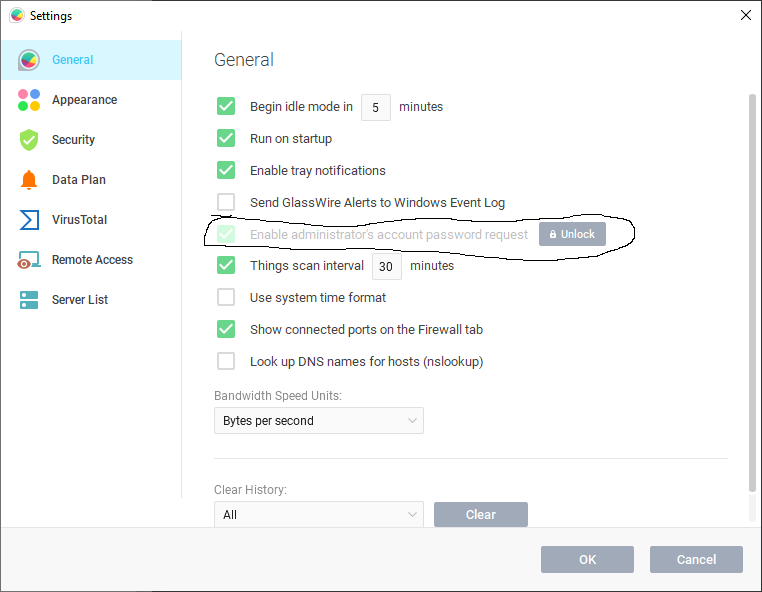
The lock feature just locks down others from changing your security settings. It uses your Windows admin password so a person cannot get on your PC and change all your settings without your permission. If this is not needed for you then you can turn this feature off instantly in GlassWire’s settings. Just go to our top left menu and choose “settings”.
We associate the names of devices with the Mac address, not the IP. You may notice some Apple devices may keep changing. You can turn this off with each Apple device if this is an issue for you. https://support.apple.com/en-us/HT211227
I noticed the latest Pixel phones do this too, but it can be disabled in settings with Pixel phones also.
If you want each GlassWire client to be exactly the same for many different PCs and you want to use our label system, then yes you’d have to add labels on each PC you plan to use. Or you could just use our remote monitoring feature and connect to your other PCs on the network, but mainly monitor them from one main PC.
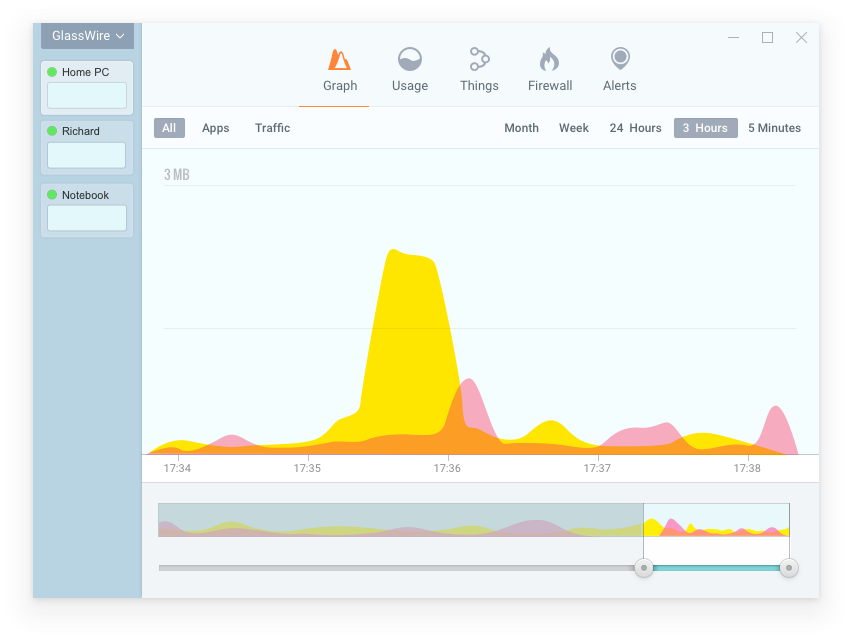
Our remote monitoring system looks like the image below. You can then click on the other PC names like “Richard” in the example and see GlassWire’s details there for that other remote machine instead of having to visit each PC separately in person.