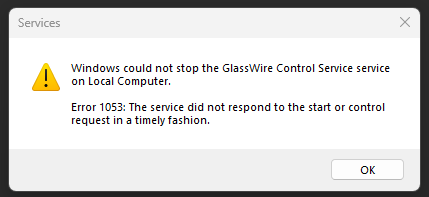
I’ve experienced the following bugged behaviour a handful of times now. I will notice that GlassWire is no longer monitoring traffic and nothing at all is displayed Monitor tab. The rest of the app appears to function as expected and the background service is still running. Restarting the app does not help. If I attempt to restart the service it fails to respond and enters a limbo state - neither running or stopped. The only fix is a full system restart. 
Send to help@glasswire.com 
I have worked out that this happens after using my work VPN. I have used the same VPN for several years, so this is a new issue following a GlassWire or Windows update. I sent a service log to bugs@glasswire.com as detailed here: Contact GlassWire but this is undeliverable  . I’ve now tried help@glasswire.com
1 Like