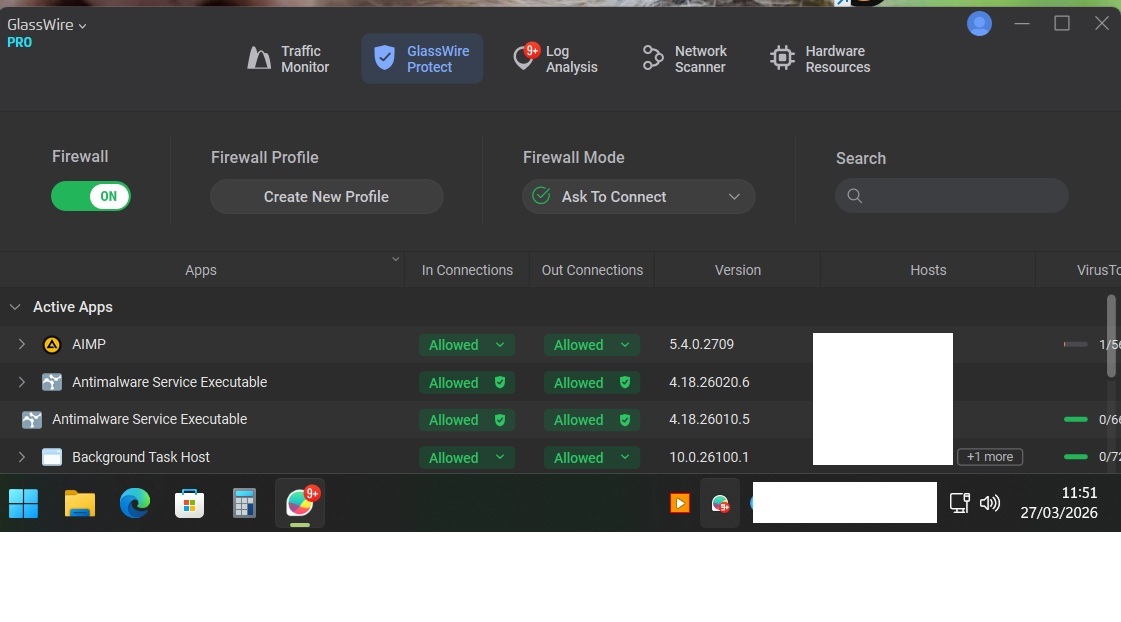
@Katie_GlassWire With the new GW 3.8.1033 whenever the pc is restarted and I click on the GW icon in my tray bar for the first time GW starts not in fullscreen. I starts in like 25% size and I always have to click to make it full screen. I didn’t had this behavier with older versions.
Win 11pro 25H2, OS build 26200.8037, 1920*1080 and 125% scale used.
That’s how it looks after I click the tray icon. How can I get fullscreen back at all times (like before)?
That’s definitely unusual. Thanks for flagging it. I’ll share this with our dev team to investigate.
Just to be transparent, we’ve seen a few intermittent UI quirks like this, which may be related to the older UI framework we’re currently using. The good news is that we’re in the process of migrating to a newer version, and we’re hoping that will resolve issues like this in the next release.
In the meantime, I’ll keep you posted if we find anything specific on our end.