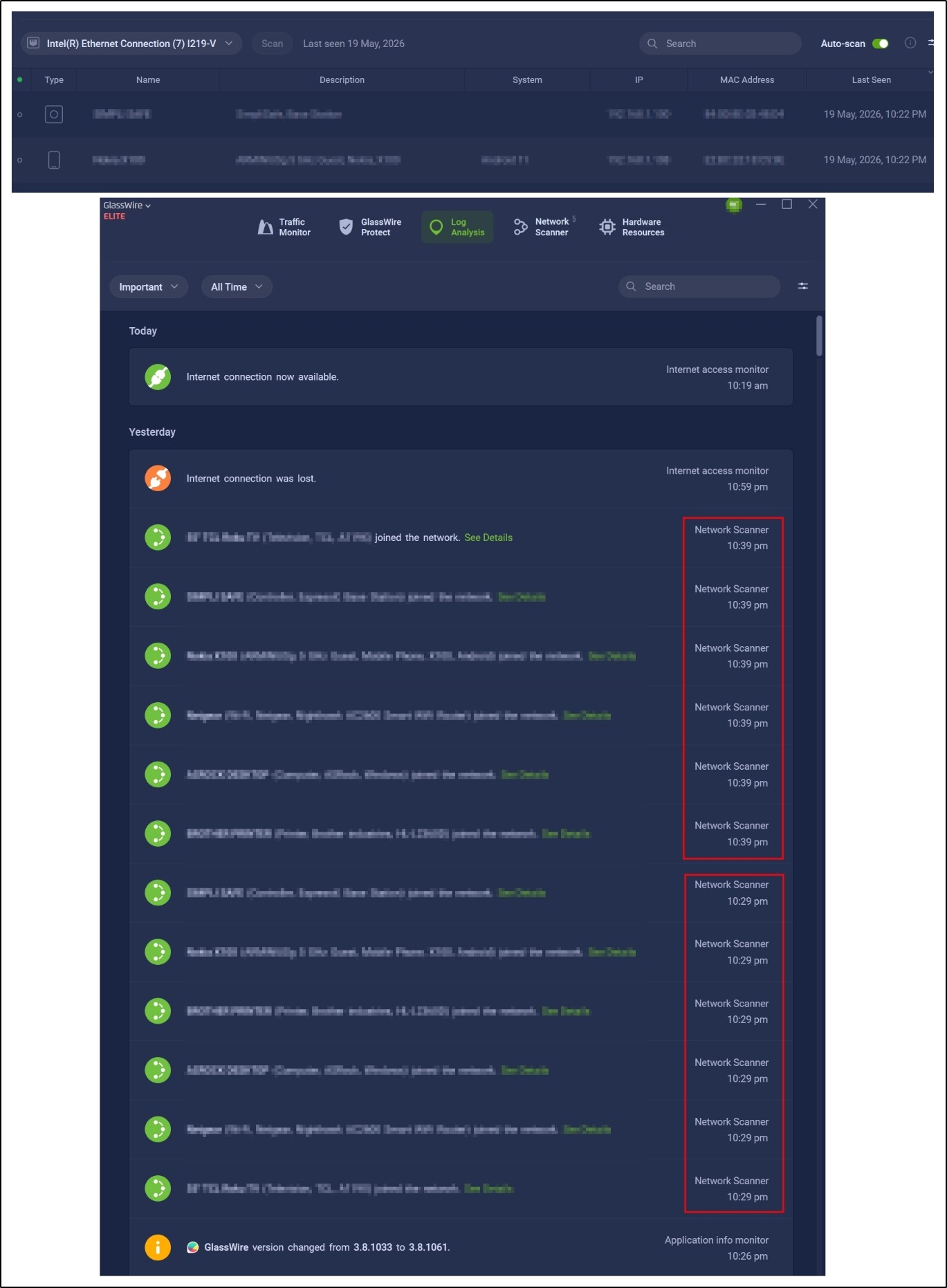
Last night I decided to update GW 3.8.1061 via an install “over” the previous version.
Upon an uneventful completion, I was surprised to see the usual 6 Ethernet connected devices joining the network as if for the first time. I have never observed this install behavior in all the years I’ve been using GW.
While normally displaying highlighted under all the 24 (historic others greyed out) items under Network Scanner, they were now absent from that total. The Scan button was dead for either Auto-scan mode. With the scan set for every three minutes, there had been no scan for 10 minutes.
More disturbing, everything on my system was offline; I couldn’t ping the router.
I decided to enact the ancient trouble-shooting first-step handed down from our ancestors in the days of Windows 3 and I restarted the system.
This time the same devices joined the network and, at least, appeared in Network Scanner. Thankfully, I was online.
(In the screenshot, while only the first item’s “joined the network” isn’t obfuscated, all the following are the same “joined the network,” it being too much effort to repeat that display all 11 times.)
All other functionality of GW seems to work OK (so far as of now), including Traffic Monitor history going back to 2021 when I installed it on this i9-9900K/Z390 desktop I built for Windows 10 Pro, now at 22H2 19045.6456, always using Windows Defender. EXCEPT…
-
Everything under Network Scanner is greyed out. The Scan button is dead for either Auto-scan mode, frozen at 19 May, 10:22 AM. With the scan still set for every three minutes, there has been no scan as of this posting at ~12:50 PM MST.
-
The Network Scanner displays 5, though 6 “joined.”
Further info available upon request. Please advise.