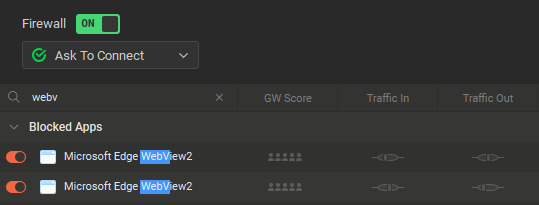
When I get prompted by “Ask to connect” and I choose to Block the app, I would like to be able to later see when that app is run that it is being currently actively trying to connect.
What I mean by that:
- Block an app that uses system web services to access the internet such as msteams, utorrent, weather, calendar, system apps, and in general apps that display ads. You will get several prompts
- First network access: someApp.exe →
[Allow]
- First network access: msedgewebview2.exe →
[Block]
- First network access: msedgewebview2.exe →
[Block]
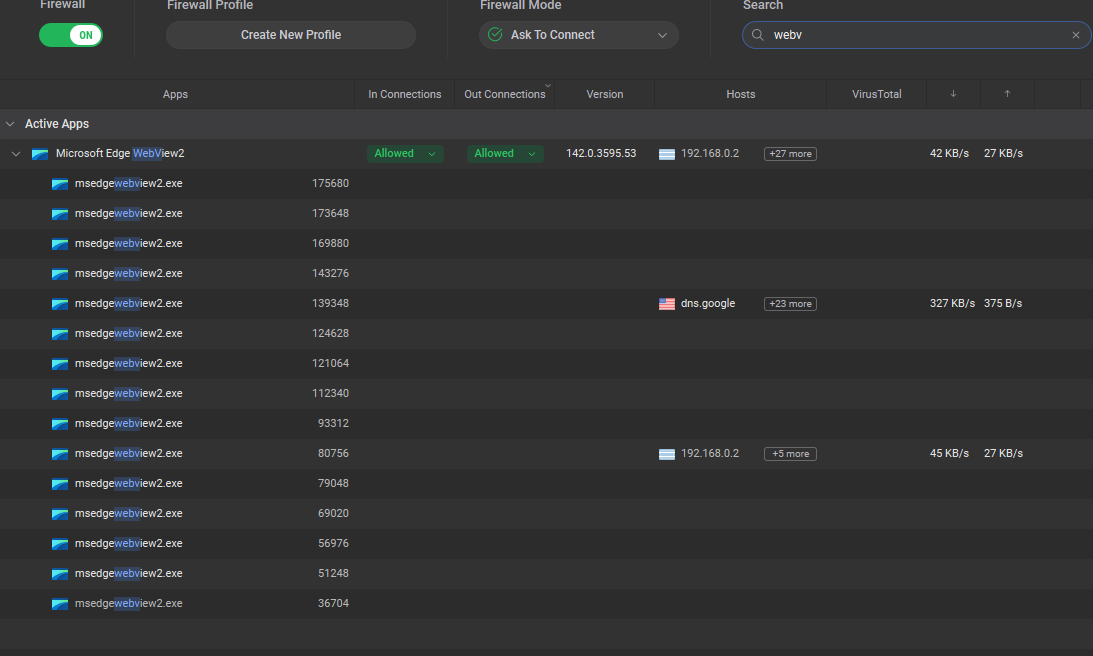
We can see that an Allowed app is currently active by the small graph and the traffic in the last 3 columns.

- After a month or after realizing you Blocked a wrong one, you want to Allow that particular msedgewebview2.exe that you initially Blocked, but it is not possible to know WHICH one is the one, because there is no indication.
At this point, it would be great to see that a particular Blocked executable is actively trying to connect, but is denied, just like the traffic in the screenshot above, but instead it will show the app’s attempts to connect. Something like this:
Additionally, it would also show the destination it is trying to connect to, just like the Hosts field in active Allowed rules.
related:
As mentioned in the other thread. WebView is a system component. There is only one version active which all the apps will use.
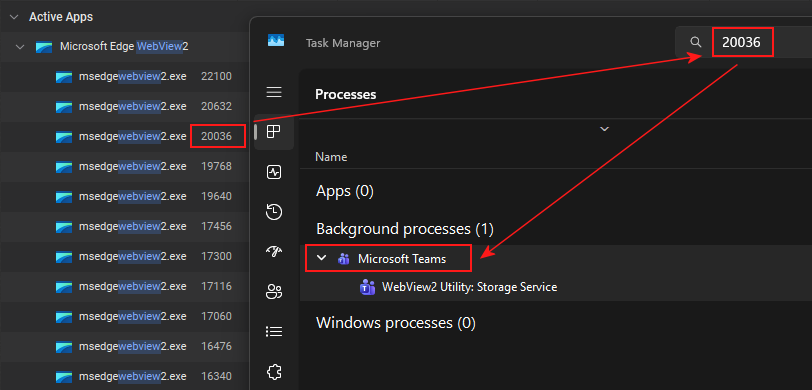
You can use the Process ID (PID) shown in GlassWire to find what the parent process is in Task Manager. I guess it would be nicer if GlassWire provided this information. However, as it is not possible to Allow/Block an app based on the parent process, it wouldn’t have a practical use. In my experience, both the primary app and WebView need to be allowed in GlassWire. In the case of WebView, this will be whatever the latest installed version is.
That is not what I experienced in the past. I usually had dozen of standalone Microsoft Edge Webview items there and when I blocked it in one app, it would work from another app. But after I have reinstalled I can’t seem to reproduce this any more. It was in the version with older UI where there weren’t separate In/Out Connections buttons.
For example, I am 100% sure that I could block ads in uTorrent, while not affecting the Weather app - both use the webview.
I’ve looked back at one of the older threads and I can see that in November 2024 I posted a screenshot with three different EdgeView entires. But by January 2025 the screenshot was how it is now, with just a single entry.
I’m not sure if that was down to change in GlassWire, or a change by Microsoft in how EdgeView interacts with apps.
1 Like
I have uninstalled latest GW and installed an older version 3.5.501 that comes with the old UI and I could immediately see two WebViews upon running uTorrent and the Weather app, confirming my past experience.
However, I remember that it was always unpredictable and frustrating. I posted several threads in these forums regarding the various manifestations of the issues I experienced. I would have to clear them all from time to time, because some app would not work, which was rather unexpected, because I would recall that it had worked previously.
Anyway, it seems that this experience was just a COINCIDENCE, because right now, I noticed (upon hovering the items) that these are TWO DIFFERENT VERSIONS of the WebView for some reason, so any past experience that I could block some apps, while keep some apps connected, was probably just a coincidence due to different versions of WebView being used under the hood.
Anyway, after installing the new version again (3.7), when I run the two aforementioned apps, I only ever see one WebView app in the list, just a few minutes later than my previous test - strangely it seems to only use the same version now.
This is following also the other thread [regression] Lost autofocus on [OK] in a dialog - #7 by ittroll
1 Like
Ah. good to have this change in behaviour confirmed.
It is odd, and perhaps concerning, that it goes from showing two versions to just the one. That makes me question if GlassWire is reporting this correctly…
1 Like