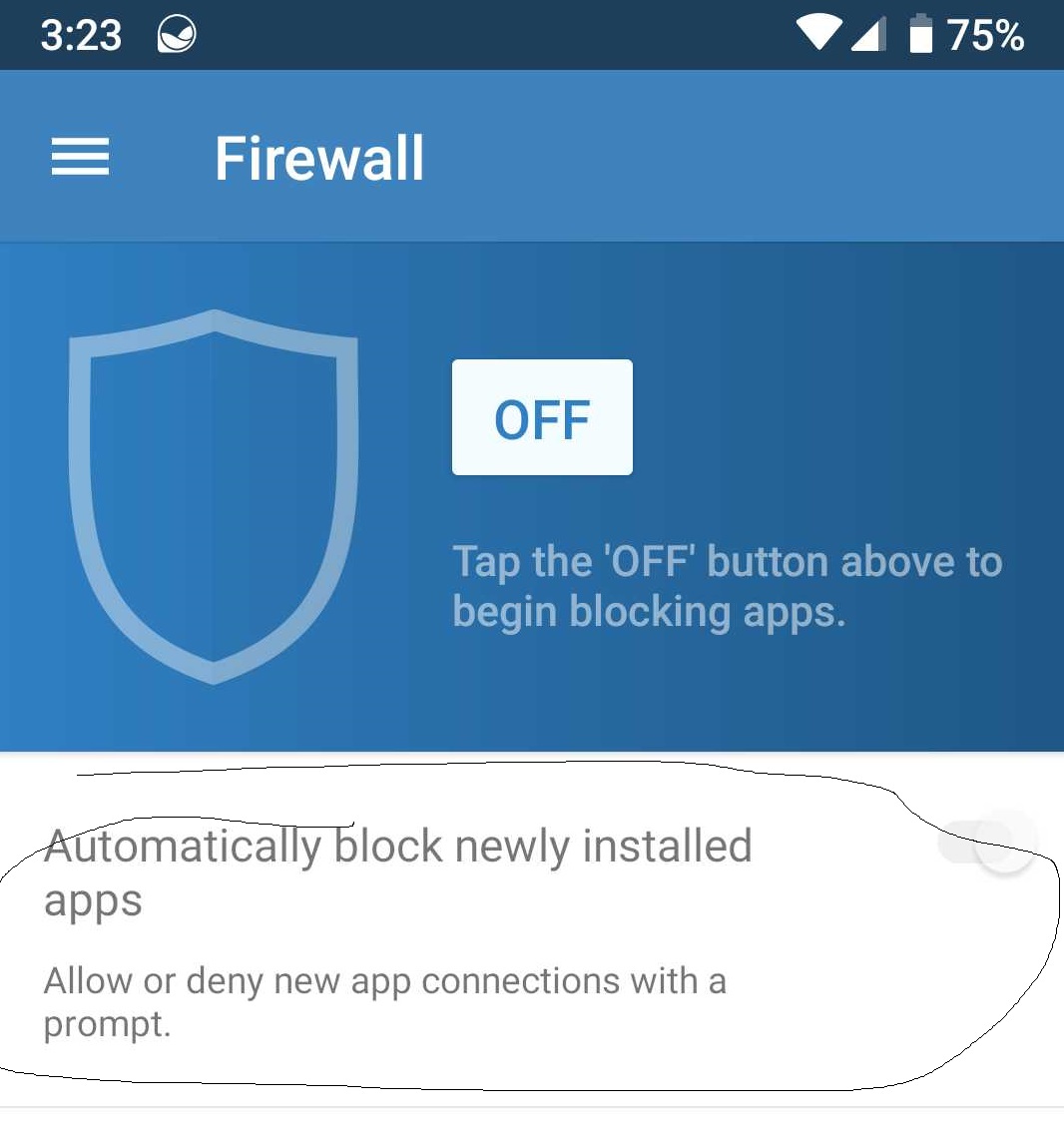
Is there a way to by default make apps ask to connect when they send out for a connection? Kinda like no root firewall? I prefer glasswires interface just want to know so I don’t have to dig through the list to allow apps that never ask.
Thank you
Is there a way to by default make apps ask to connect when they send out for a connection? Kinda like no root firewall? I prefer glasswires interface just want to know so I don’t have to dig through the list to allow apps that never ask.
Thank you
Yes, go to our firewall screen in our Android app and then you’ll see an option “automatically block newly installed apps”.
We don’t do this with every app though (only newly installed ones) because you’ll get the alerts all the time, and we have found for a mobile device it’s quite unusable.
https://www.glasswire.com/android-help/#glasswire-firewall
Couldn’t there be a way to have them only pop-up a request when the app asks for a connection for the first time? It gives the user a better idea of what apps ask for a connection. After you say yes or no that app shouldn’t be able to ask again. Just wondering if that was possibly in the pipeline.
Thanks again
Yes, that’s exactly what GlassWire does currently. You can slide this setting to turn it on and you’ll get a notification unless you disabled GlassWire’s notifications.
Sorry not newly installed apps current apps that are installed. But have requested an internet connection for the first time since you added the firewall.
Thank you for your assistance
We tested with this scenario and found it was super annoying (too many notifications), but perhaps we’ll consider this as an option if enough people request it.
Thank you Ken sorry I explained it poorly in the beginning.
I know I’m committing necromancy here, but this was the first result when looking for specifically this feature.
I don’t really care so much about how annoying Android becomes to use. I want every program to ask me basically every time it tries to connect so that I can test out whether I want to allow that connection.
I want to be able to allow an app to connect to a specific DNS address or a specific IP address, but also be able to deny other DNS or IP address settings for the same application, so trying to blanket allow an app to connect to whatever it wants to is not within scope.
I tried looking on the general internet as well as looking through all the settings for the Android version to see if I could make this happen and thus far I haven’t been successful. Did this ever get implemented as an option?
i remember old versions of Zone Alarm used to have the ability to have commonly set up and well-known apps automatically have certain firewall privileges, which would possibly be a balance between the two situations. But either way, I want to be able to have granular control over what my phone connects to, be able to temporarily or permanently allow list or block lists a connection from an app based on IP or DNS source or destination, and review those settings for updates later, along with having some default “temporary” settings. the first being an auto allow or auto deny after a timeout globally, the next being an auto allow or auto deny after timeout by IP or DNS, and the next being an auto allow or deny after timeout by App
I imagine it to work with Global applied first, then app, and finally IP/DNS. the last two might be able to be flipped or interchanged, don’t really know yet. sometimes you want an app to have access to everything I suppose, but for me I’d always want to block certain IPs and DNS connection attempts.
global applies first, but an app can make an exception, but certain DNS/IP addresses can be blocked /allowed in spite of an app having over ridden a previous setting.
maybe I’m asking too much, but this is what I really really want to see.
but anything is better than having to reinstall all the apps, especially the system apps. I don’t know how to gain control over those connections without an “always ask” setting.
thanks!