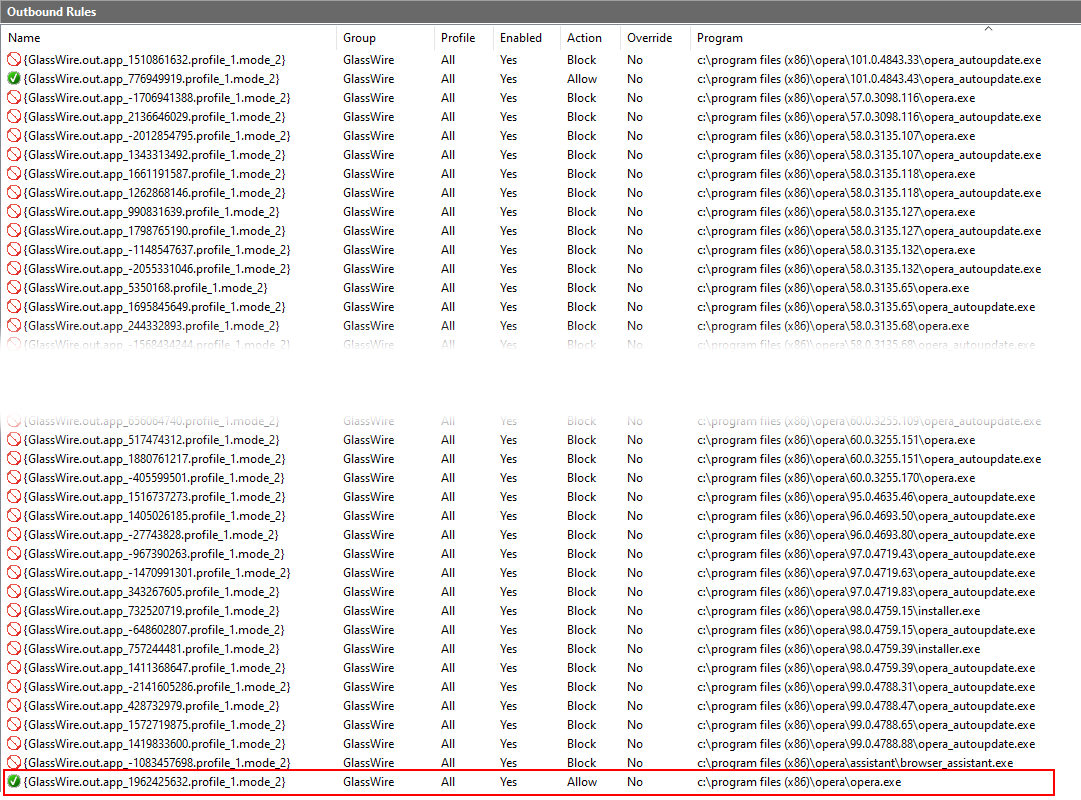
I’m resurrecting this old issue. Opera recently reached version 100 and since then I am finding that GlassWire is failing to correctly add/update the required firewall rules after each update. As a result, Opera cannot then access the Internet. Looking at Windows Firewall, GlassWire has added ~200 firewall rules for the various versions of Opera that have been released in the past 4 years.
I now find that I have to delete the app entries in GlassWire. close GlassWire, restart the GlassWire Control Service, launch GlassWire, launch Opera and then Allow the app. After this merry dance GlassWire will update the Windows Firewall and it will work until the next update…
Here is just a taster of some of the many rules. I think it is the last entry which fails to update correctly.