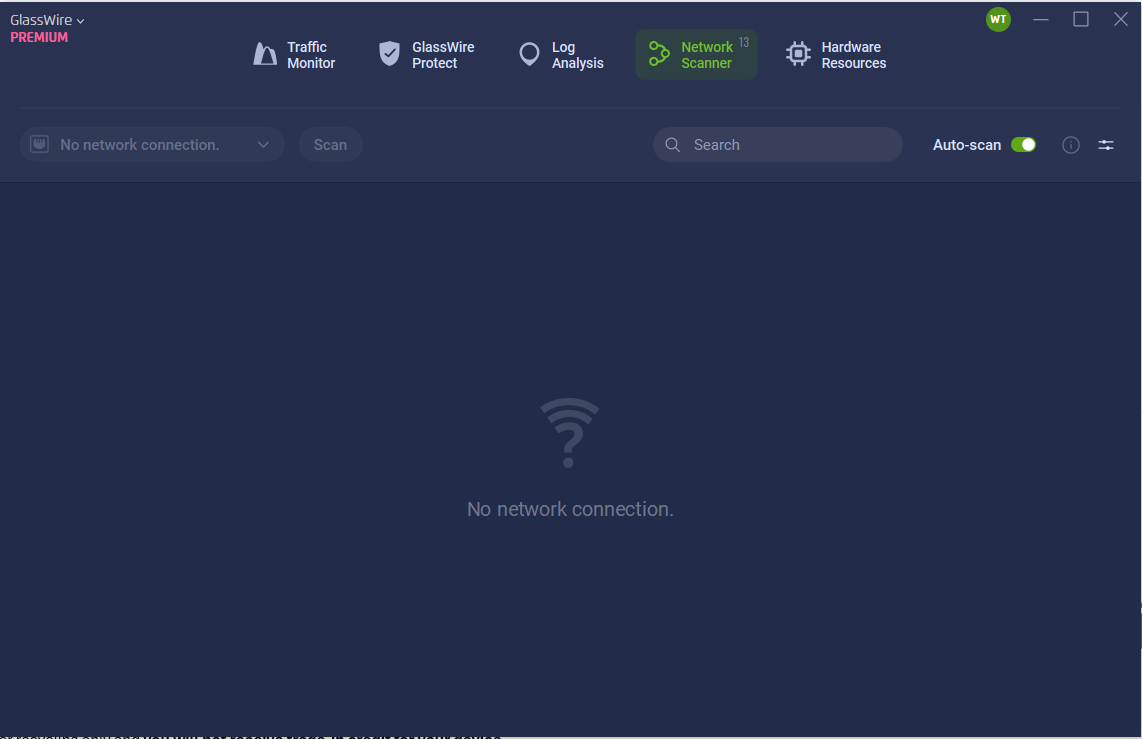
I have just reinstalled Glasswire ver. 3.8.1061 and the network scanner still shows no connections. Both traffic monitor and log analysis show activity. I am using windows 11.
1 Like
Its been 7 days and I continue to have this problem. The Network scan shows “no connections” and is unresponsive to scan requests and autoscan. I even get popup messages when there is a logon to the network, but the network scanner shows nothing except “no connections”.
1 Like
Running 3.8.1061 on win10 latest, network scanner hung, no connections. I removed interface in order to acquire again, but no such luck, cannot find way to acquire interface again. Popup msgs show devices are being recognized, etc. Tried glasswire reinstall and then clean reinstall, no change. Stumped, help.
1 Like
Same problem, on Windows 10 x64. I reverted to version 3.8.1033 and the problem is solved. I suppose it must be some kind of driver error in version 10.8.1061.
Sorry to hear you’re running into this! There are two common causes we’ve seen for the network scanner showing no connections:
1. WLAN AutoConfig service set to Manual
Check if your WLAN AutoConfig service is set to Automatic. To do this:
- Press
Win + R, typeservices.msc, and hit Enter - Find WLAN AutoConfig, right-click > Properties
- Set Startup type to Automatic and click Start if it isn’t running
2. Location services disabled in Windows Settings
The network scanner relies on Windows location permissions to detect devices. Go to Settings > Privacy & Security > Location and make sure location access is enabled.
Try either or both of those and let us know if it resolves the issue!
Resolved itself this week, don’t understand why… anyway after resolved, checked both #1 and #2 above, both set incorrectly, fixed as described. Confusing, but problem resolved, thanks!
1 Like
Glad it’s resolved. Please let us know if you run into issues again.
I have done the same thing several times now, tried the location services “fix”, WLAN doesn’t run on Server 2022 and after reading later in this thread about reverting to 3.8.1033, I reverted to 3.7.880 (I had it on the server) and it worked just like it should.
There is obviously something amiss with 3.8.1061…
Tried downloading and installing 3.9.1102 (their 64bit new version) and, as expected, the install barfed saying the OS wasn’t supported. So I’m guessing if you aren’t doing things the right way (using a server for file storage and central repository) you are indeed S.O.L.
A bit of feedback and assistance here. Good to make sure the service is still set to it’s default properly.
As far as Location services, I have mine off and the Network Scanner works fine. In fact, the Network Scanner shouldn’t need to know anything about your location in order to scan your LOCAL Area Network. To me, that doesn’t sound very secure or private. Perhaps that’s something that change.