Thanks for the link!. I’m not going to be able to tolerate the behavior of 3.7.880 much longer.
1 Like
I just reverted to 3.5.821 and feel much better now!
So if the new GW version should only block “incoming” connection by default then it doesn’t work (for me). For me it seems to block files for in AND outgoing that where not blocked before the update.
The first two screens show all files that I had blocked before the update


As you can see there is NO block for anything Hasleo related (just picking this as an example you can see the other dozens of strange newly added GW blocks below).
———————————————————————————————————————————–
The pictures below show now all the blocks that are listed while I only updated GW and rebooted. GW now blocks part of Hasleo in AND outbound. Why?
-
Why does GW block in and outbound for a programm that wasn’t blocked before?
-Why does GW block other stuff now in
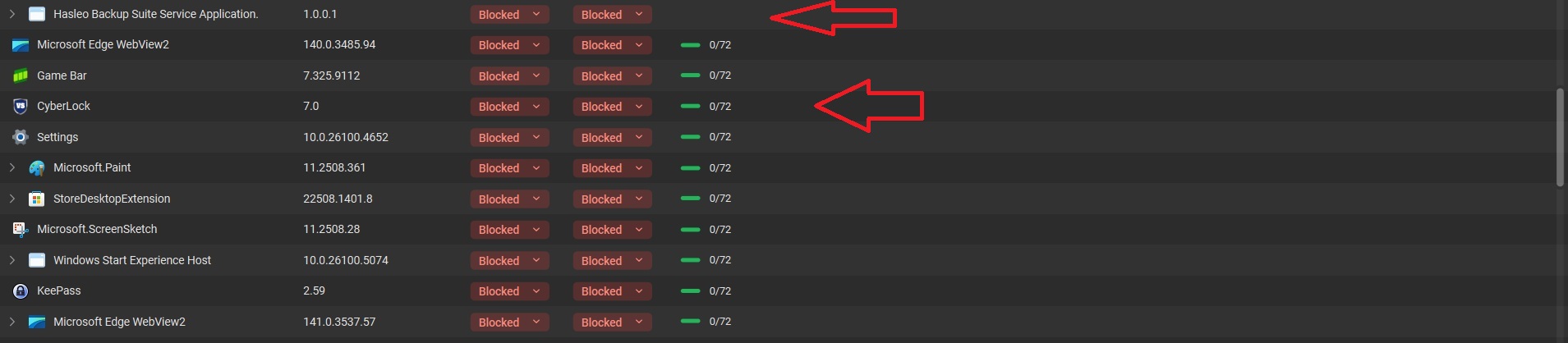
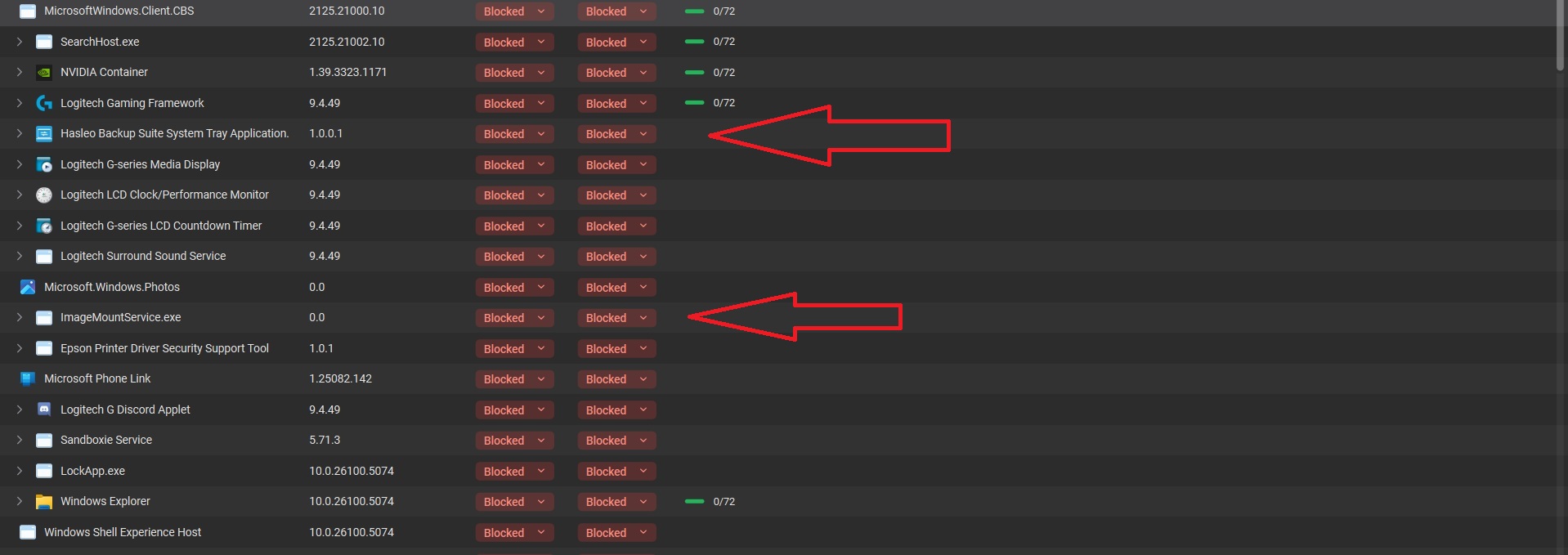
and outbound that wasn’t blocked at all before?
As a bonus GW silently blocked a third party security product (Cyberlock in picture three). I didn’t see or click any block for that.
So to sum it up: For me GW now blocks files for in and outbound that weren’t blocked before at all.
This is definitely not the intended behavior. I will take his back to our engineering team.
@CTaylor I see you are using Ask to Connect Mode. Did you see these changes (all apps showing Blocked for both incoming/outgoing) immediately after the upgrade?
@Geri123 What firewall mode are you using? Also want to confirm whether you saw this issue immediately after upgrading?
Yes, this new behaviour started as soon as I upgraded to 880. And repeated when I reinstalled using the clean install option.
Right now I have 62 entries listed as blocked for both in connections and out connection. 2 of these were ones I blocked when I got the popup saying they were trying to access the network.
Note that not all apps are showing as blocked. I have a few hundred listed that are allowed for out connections. Some are blocked for in connections. I am sure I did this at some point before I figured that in connections should be blocked anyhow. Plus my router is blocking the in connections anyhow.
But, personally, I think in connections should be blocked unless I explicitly and clearly state I want them allowed. There are really very few instances where allowing in connections would make sense.
BTW - ini case it makes any difference - for the firewall I am using the “Windows Defender Firewall with Advanced Security” that is included in my Microsoft 365 Family subscription.
Hi I’m using “Ask to connect”. I only updated GW, immediately rebooted and got the results shown in my pictures.
Same here, always been using Ask to Connect and immediately after upgrading GW started blocking almost every software running in both directions, it’s super rare for me to get the pop-up where I can choose if to allow or block a program, please fix this as it makes the program almost unusable for me, I constantly need to keep the Firewall tab open and check every minute to make sure no new programs were blocked…and there is no date to filter by so I have to manually go over all of the blocked programs list to find the new additions every time! 
I uninstalled and reinstalled, and now I find out that more people are having this issue. My pc is basically useless (although, if you haven’t noticed, GW isn’t blocking glasswire . com) right now.
Is GlassWire ignoring its customers? Is the only fix to go back to an earlier build? I’m not sure how to do that.
Thanks for the original post and discussion here.
Hey Glasswire, please fix this.
Is there an archive download page? I’d like to do the same. Thanks.
Version 3.5.821 works fine
1 Like
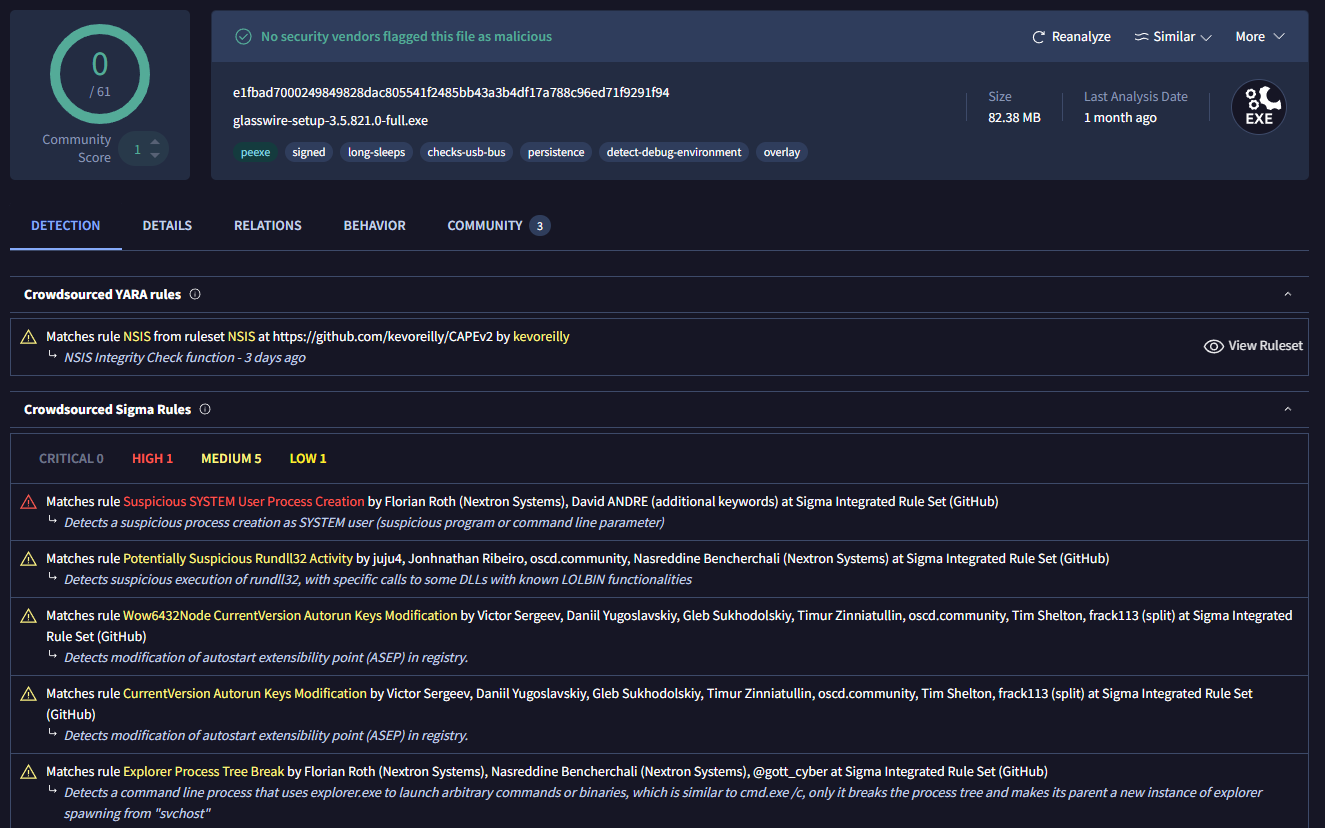
Every archive download site I try seems to vomit when I up load an older version of glasswire for analysis.
To be fair even the newest version from glasswire also has some low to medium concerns but I’m guessing that the nature of a firewall app.
I would feel more comfortable if glasswire allowed us to download an older version.
1 Like
Not sure what happen. I guess GW is deleting negative comments. Anyway I installed 3.5.821 (I was able to verify the file hash.) It works great. I uncheck the “enable automatic version upgrade” box, restarted GW, and guess what happened anyway?
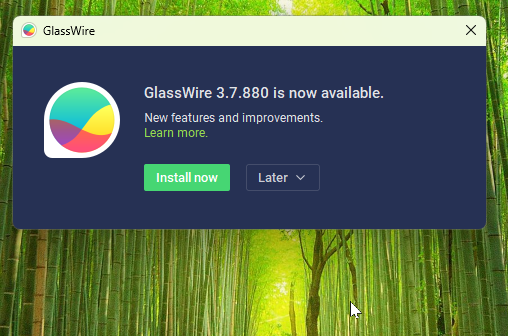
It still tries to auto update to the Broken Dog Water Version, but you can choose “skip this version” from the dropdown box.
2 Likes
Using third-party sites like the one linked above is not something I would recommend. You have to be really careful they have not modified the installer or bundled in extra unwanted software.
GlassWire provide some previous versions on their change log page along with file hashes.
@KellyC Thanks for letting us know that you’re also experiencing this issue. Are you using Ask to Connect mode as well, or a different firewall mode? Also, just to confirm - you are seeing both incoming AND outgoing connections blocked for your apps?
I’m also getting this issue. Some things ask, most just get blocked automatically. in ask to connect mode. using version version 3.5.821 worked, i uninstalled newest version, reset windows firewall settings, restarted, and installed that, and its asking every time again.
Edit: I forgot to disable auto update. when updated, it kept automatically blocking things in new version with fresh install and settings. Redid process, and disabled auto update.
1 Like
3.5.821 works fine as all older versions do. They should pull 3.7.880. It is causing lots of problems. I won’t update for a few new versions until it’s been thoroughly vetted by many other users! I’ve used Glasswire for many years and hope to continue to do so.
1 Like
i have the same issue with the newest version may be uninstalling if i have to unblock 20 programs after every reboot will be contacting support.
this started last week for me no changes and am on ask to connect.
i just want to know when i will be asked as now i see network connection and have to look and allow.
Same issue here, very annoying behaviour to have all these “no network” app showing as blocked.
Now I cant tell which apps I blocked myself and which apps are just listed here. I cant even screenshot the list, it take 4 screens from top to bottom (nearly 50 entries).
To list apps with no network activity is maybe a good idea, but list that in a special category, or without In/Out connections buttons to identify clearly. “Do not compare Apples with Pears”…
As mentioned above, there has been a longstanding issue with Ask To Connect mode in that it will automatically and silently block any apps which are installed/updated/detected early in the boot process, before the GlassWire desktop app is running. I suspect the recent changes in application scope and firewall behaviour has exacerbated the problem.
1 Like
Weighing in that I’m having the same issue on 3.7.880 in Ask To Connect mode, apps just stop working properly and I check and they’re blocked inbound and outbound on Glasswire.
I’m sitting here with Glasswire on another screen as I write this, watching apps (Nvidia Broadcast and Microsoft Zune Player) just appear in the list, blocked inbound, blocked outbound yet no popup to ask.
I’ve been using glasswire for years and never had this issue until about 2 weeks ago, when 3.7.880 got installed. It’s so frustrating, I’m about ready to jump ship. Thanks to the guys who posted about downgrading, I’ll try that.
1 Like