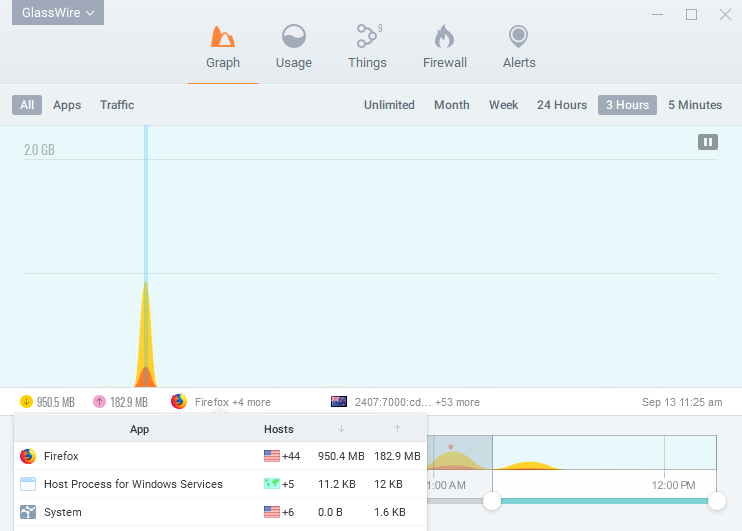
To show the reporting that is available, I ran Resplendence Software’s LatencyMon version 6.71 to monitor a speed test on my 5 year old gaming laptop. I found no concern over GlassWire but I will also disable GlassWire and run the speed test for comparison in the next post.
Incidentally, I’ve used several Resplendence tools and they’ve all been very good to excellent.
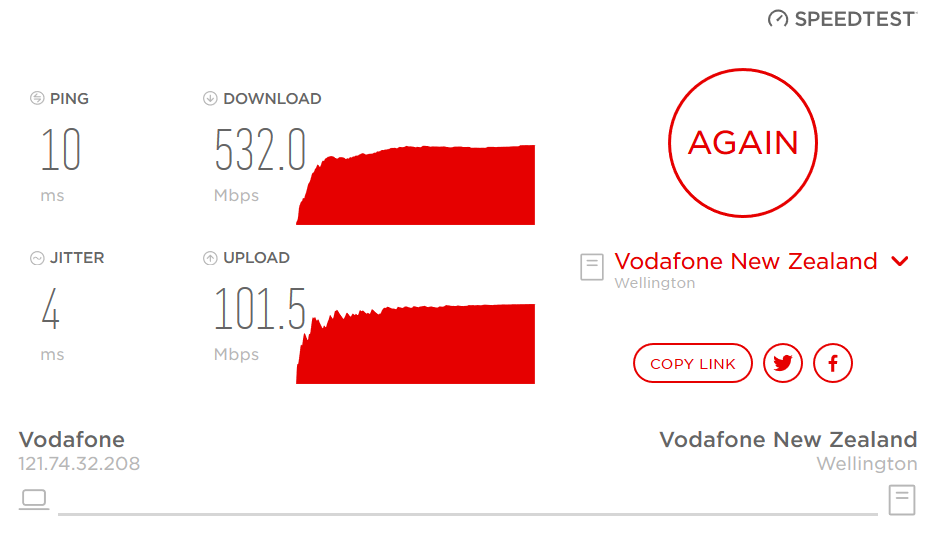
My network speed test
I ran my ISP’s version of OOKLA SpeedTest Custom over my home Gigabit LAN. The maximum theoretical throughput on this cable (HFC) plan is 900/100 Mbps and normally we’d max out at 700/100. This test was during the middle of a business day so download speed was only 500 Mbps. My ISP rate limits the upload speed to 100 Mbps which is why it barely ever changes on speed tests.
LatencyMon report tabs
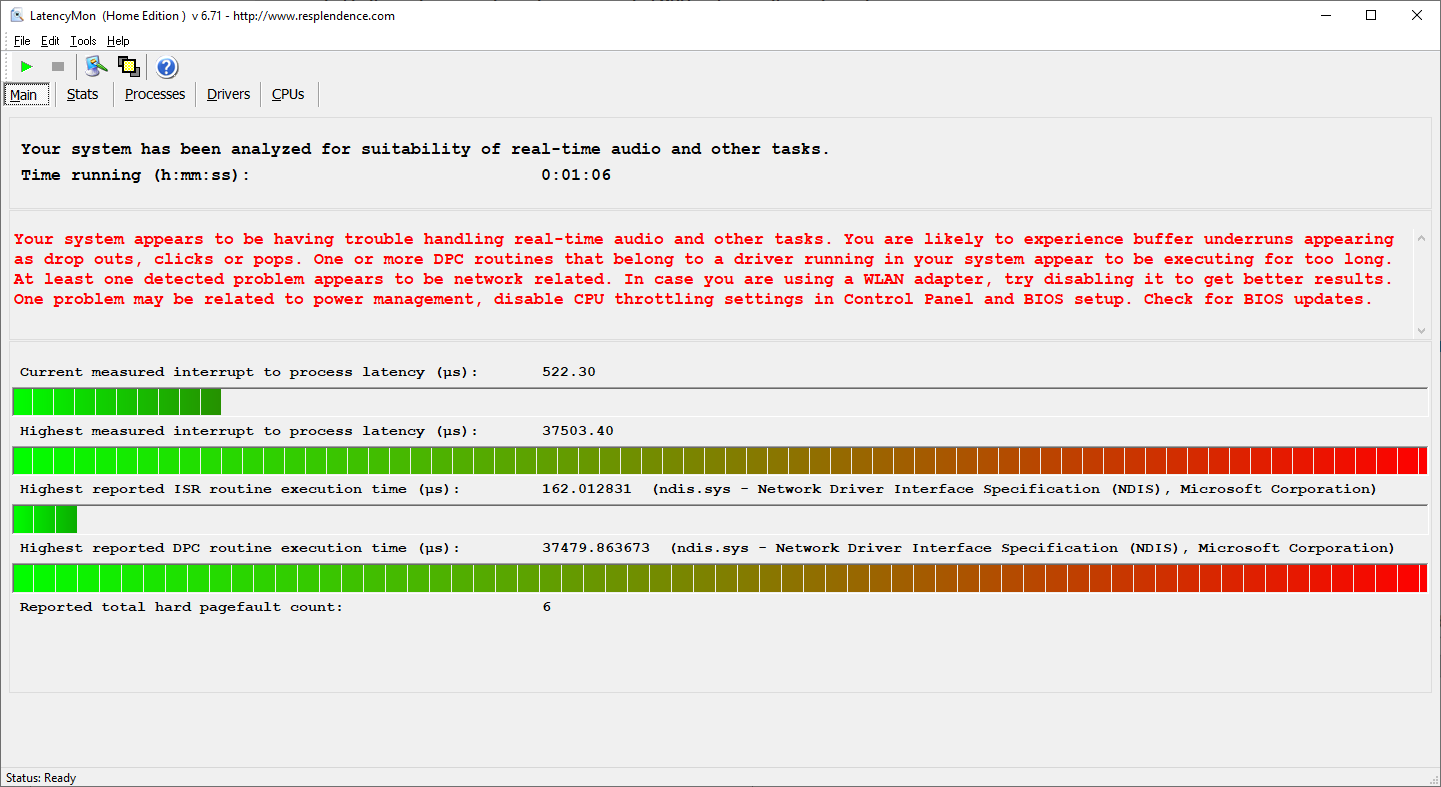
Main
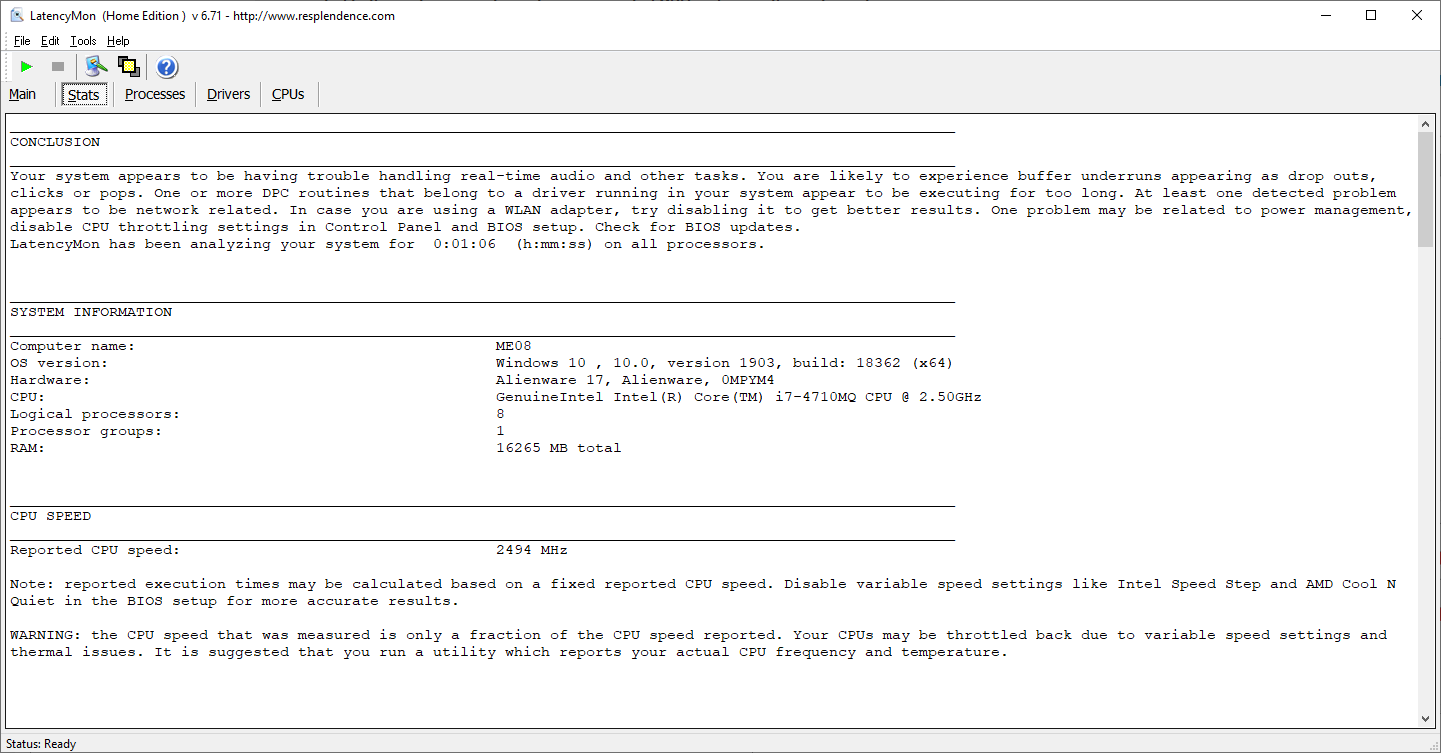
Stats
LatencyMon indicates that real-time audio would probably drop out during the network speed test.
Note the warning that the CPU wasn’t running full throttle. Any improvement in CPU throughput should lower the DPC latency.
The NDIS driver is servicing the network speed test so it is no surprise to see it have the highest ISR and DPC times.
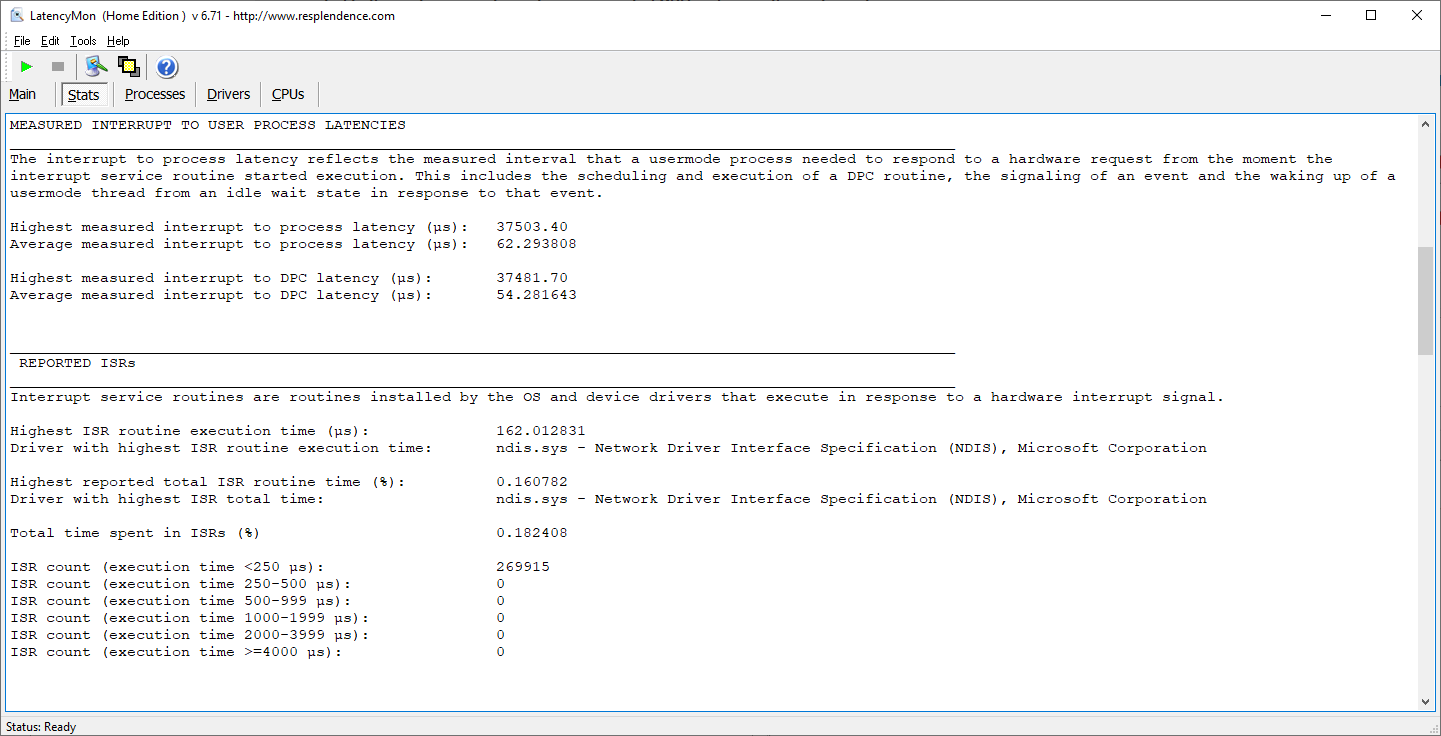
Firefox is running the speed test so it is no surprise to see it generates them most hard page faults:
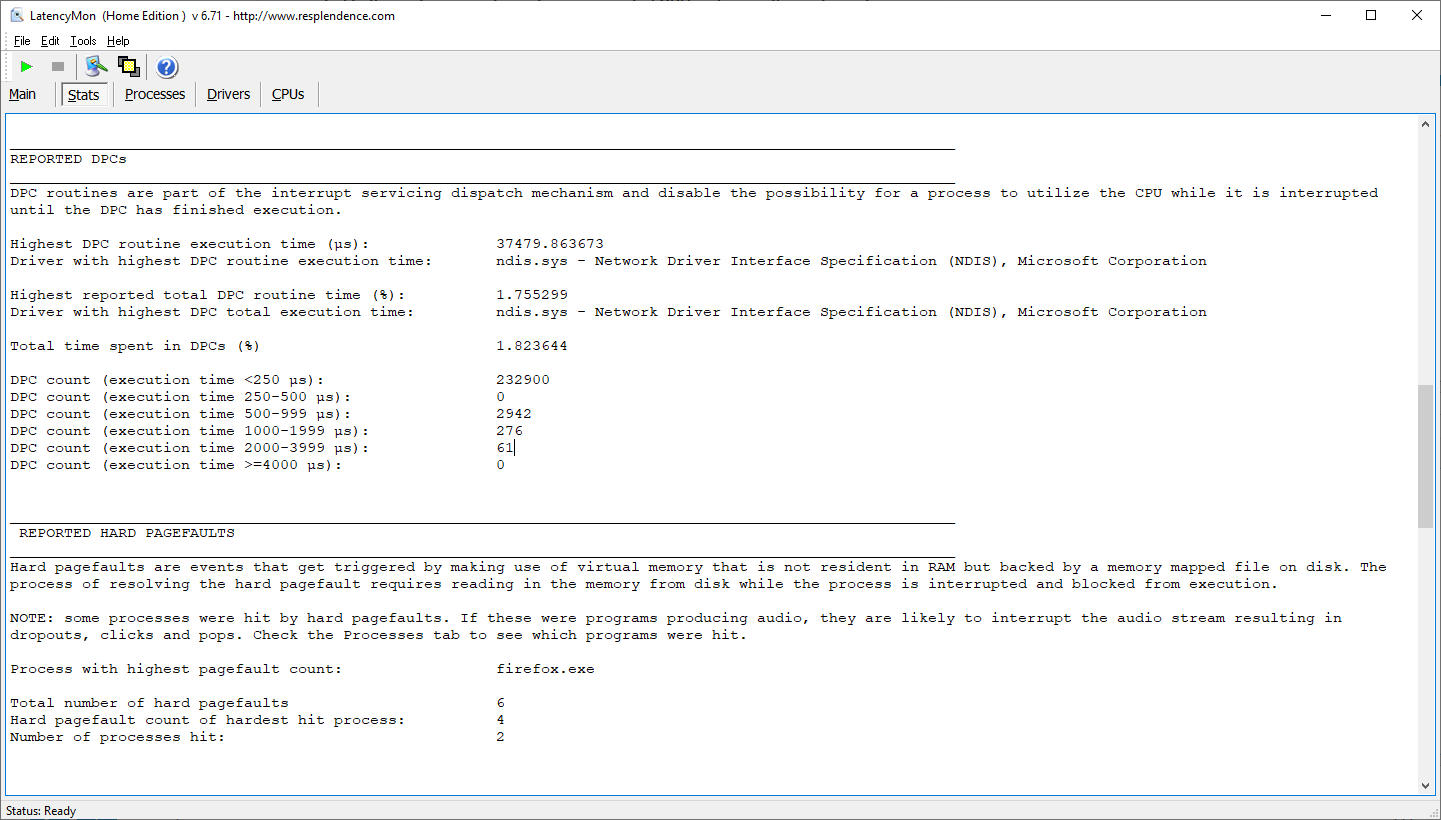
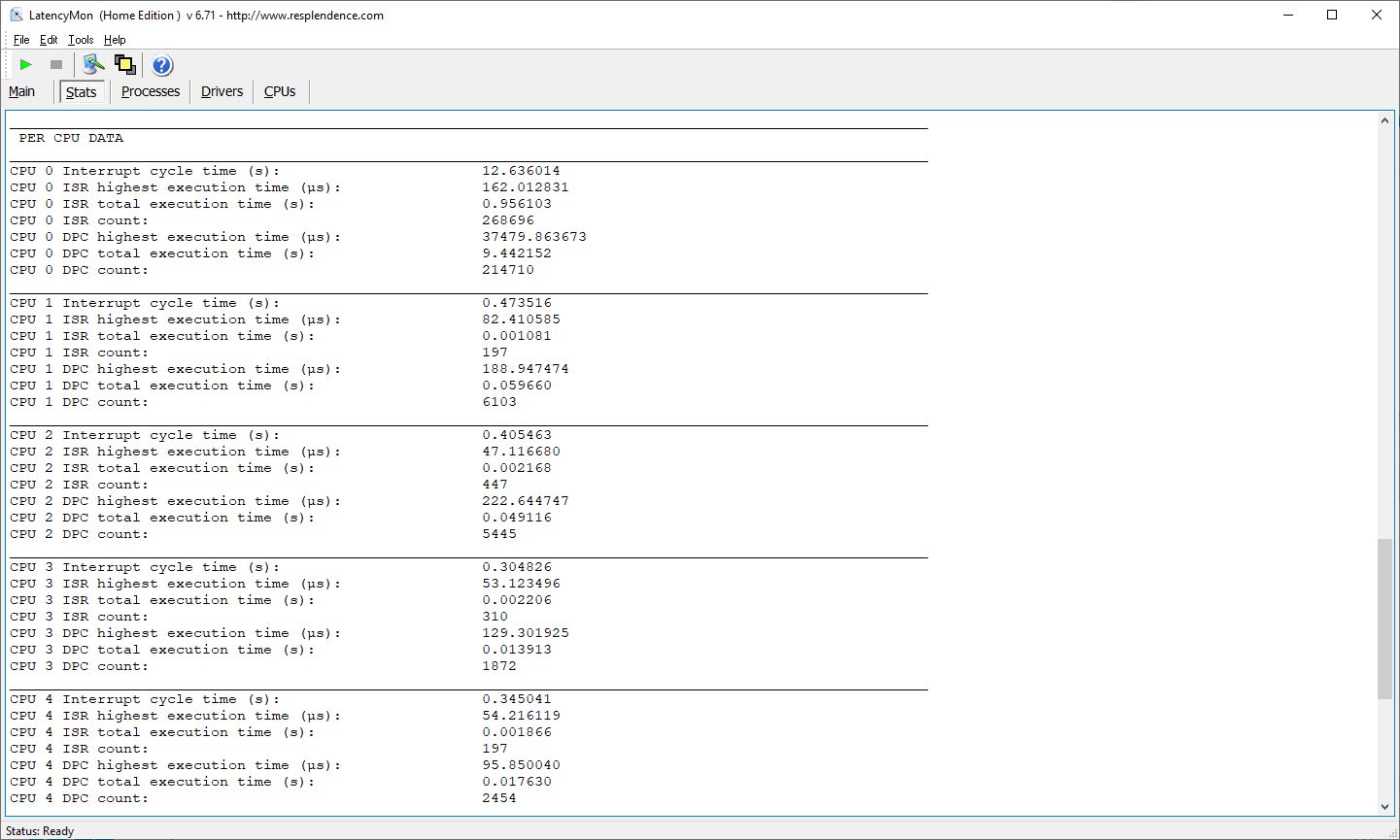
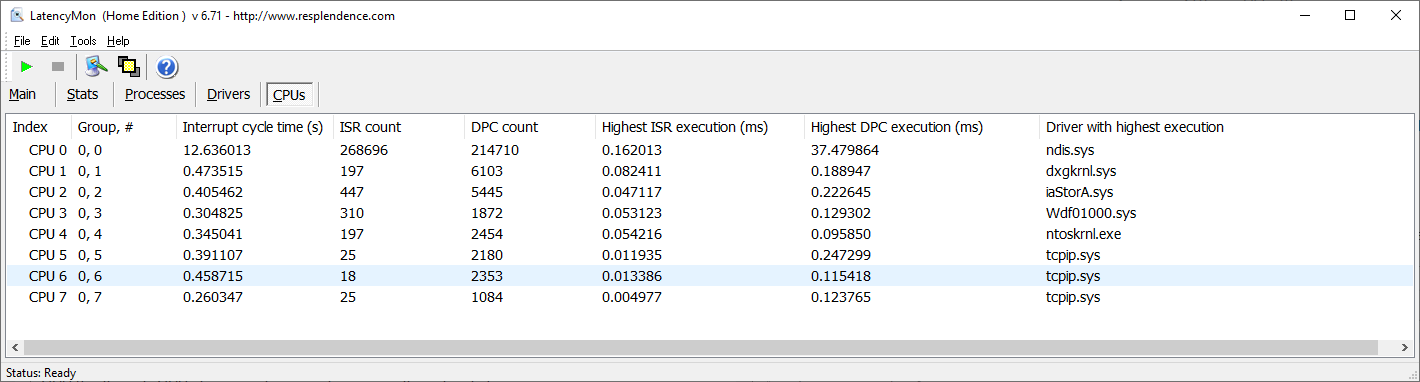
CPU 0 is the only CPU of concern because it is running the network driver. See the CPUs tab below for more detail.
Processes
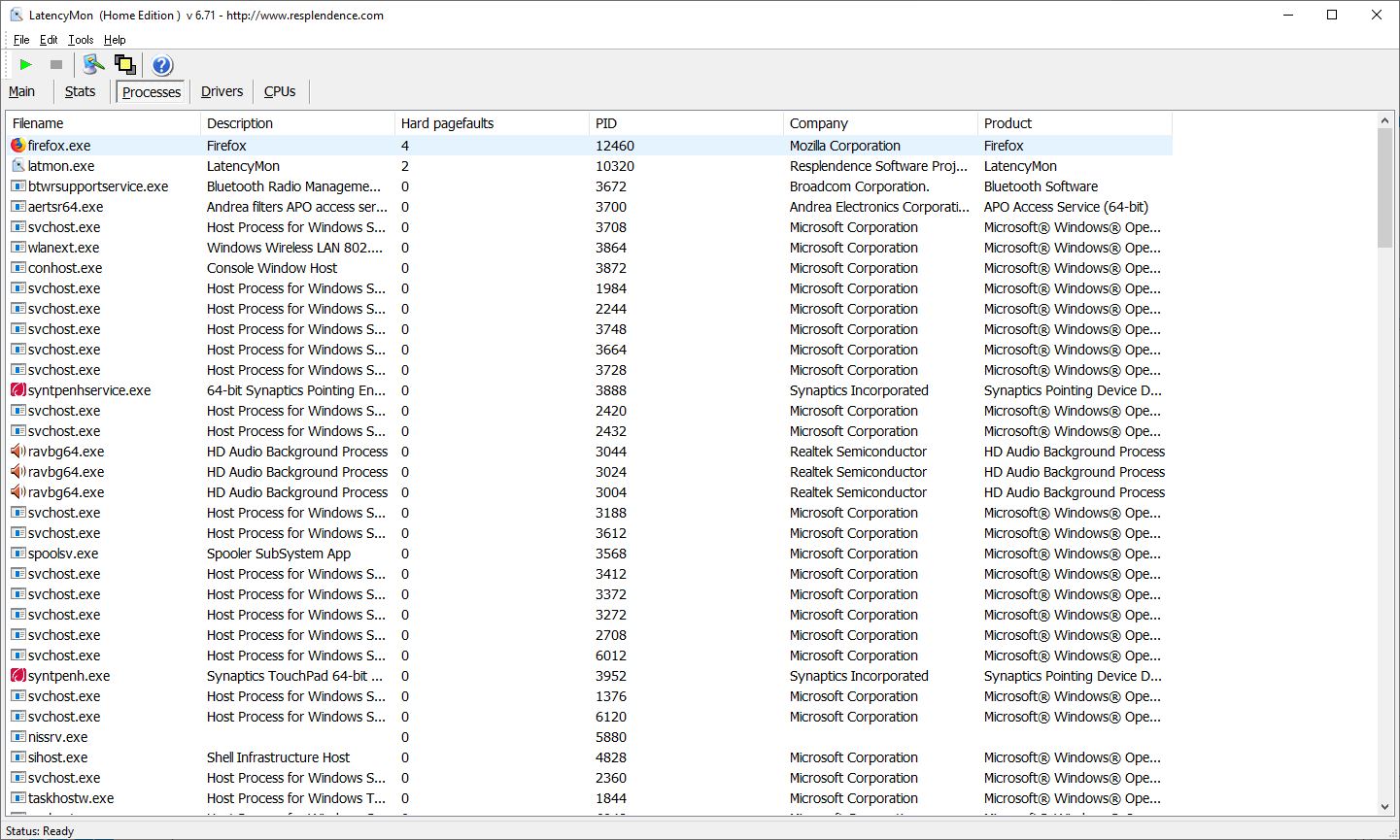
Hard Page Faults are data that was expected in memory but was not so had to be retrieved from the HDD or SSD. As expected they occurred for Firefox running the speed test and LatencyMon doing the monitoring.
Drivers
The drivers stats are sorted by the highest reported DPC execution time. Note that this report displays in milliseconds instead of the microseconds used in the Main tab.
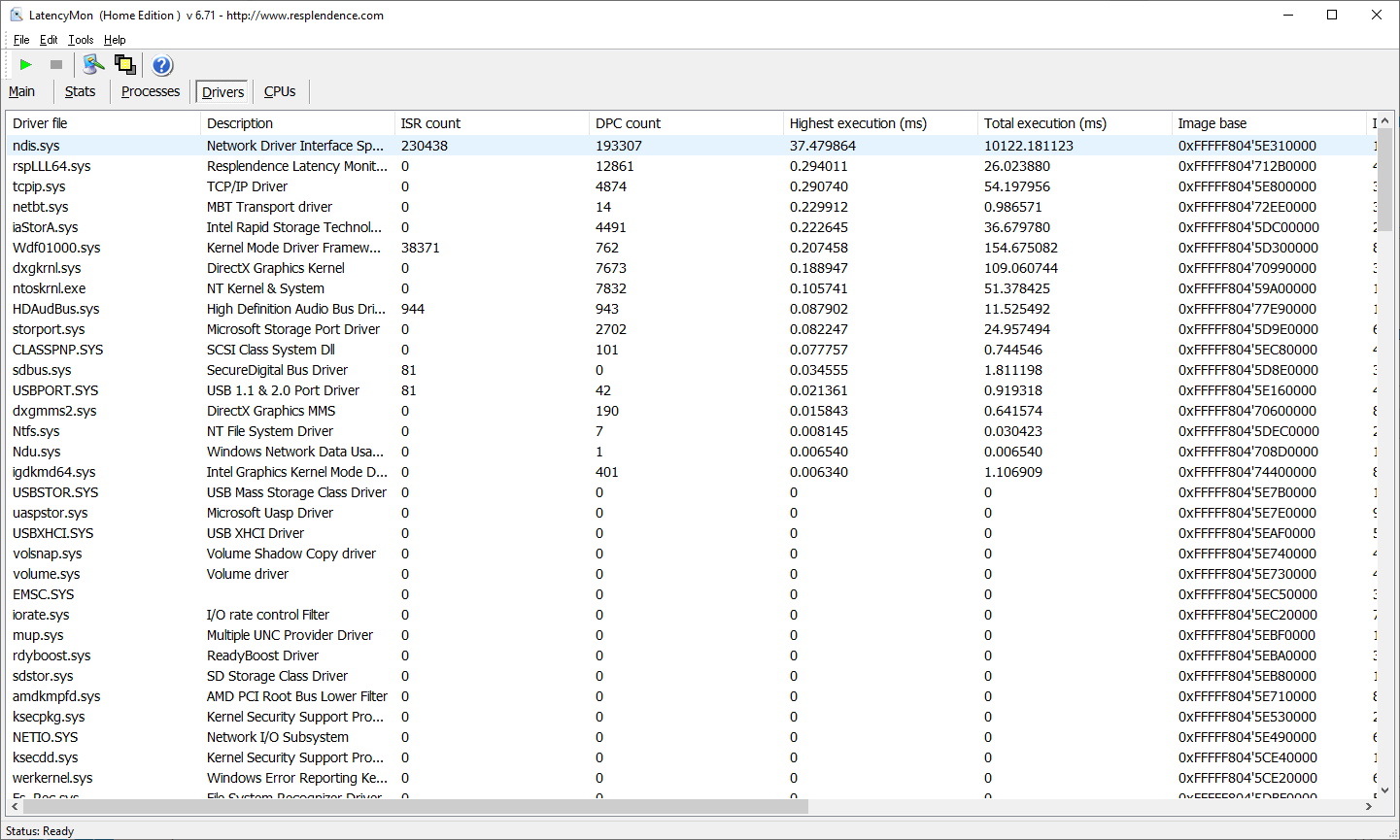
The GlassWire driver stats show that DPC latency is not being directly produced by this driver:

CPUs
CPU 0 is the CPU being loaded by the network speed test. It has more than 5 times the CPU time of all the other CPUs.
GlassWire
The GlassWire UI was not running during the speed test. The screenshot mainly shows the speed test throughput.