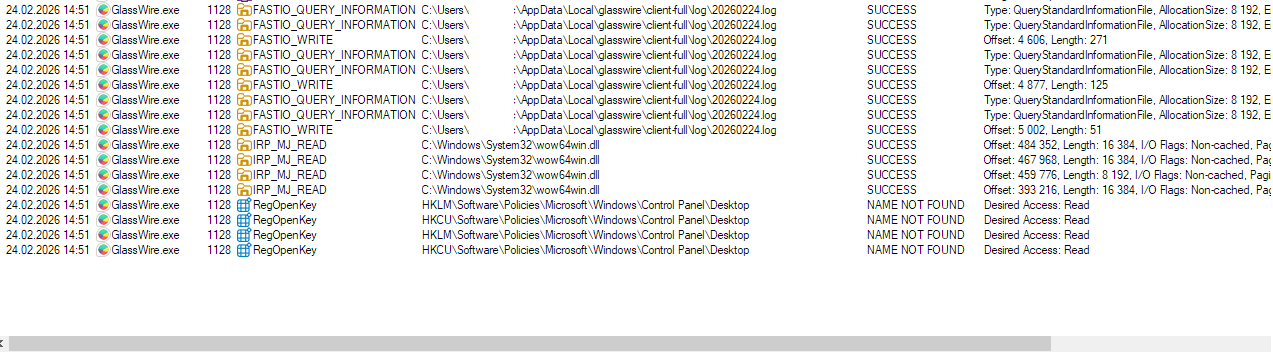
Won’t connect to local server. Did all things that is said in faq. Another similar app works fine.
Seems like it registry problem?
Won’t connect to local server. Did all things that is said in faq. Another similar app works fine.
Seems like it registry problem?
Same problem. Installed the new version over the top of previous one. Rebooted. Cannot connect to server.
Same problem after 5–15 minutes, with or without the Legacy Driver…
Same problem here after following the instructions no network connection.
We’re aware of this issue affecting some Windows 10 users in 3.8 and are actively working on a hotfix. We’ll share an update as soon as the fix is available.
Full details and updates are here: GlassWire 3.8 - Windows 10 “Cannot connect to local server” Issue & Hotfix Update
This is a known issue in GlassWire 3.8 on some Windows 10 systems. A hotfix is in progress. Check the official GlassWire update page for the fix and avoid workarounds until it’s released.
We released a hotfix this week for this issue. Check out this post for more details: GlassWire 3.8 Hotfix Released – Windows 10 Service Startup Issue Resolved - #5 by Crownofgray
If the issue continues after installing the hotfix, please follow the steps below to create a log file and send it to our team.
Press the Windows key + R on your keyboard.
In the box that appears, type: C:\ProgramData\GlassWire\service-full
Press Enter.
In the folder that opens, find the file named glasswire.
Right-click the file.
Click Open with → Notepad.
If Windows asks, choose Run as administrator.
In the file, find this line: LogEnabled = false
Change it to: LogEnabled = true
Click File → Save, then close Notepad.
Press Windows key + R again.
Type: services.msc
Press Enter.
Find GlassWire Control Service in the list.
Right-click it and choose Restart (or Start if it is stopped).
Use GlassWire normally until the problem happens again.
Open this folder: C:\ProgramData\GlassWire\service-full\log
Select all the files in the log folder.
Send those files to us at help@glasswire.com or send it to me as a private message in this forum.
These logs will help our developers understand what is happening.
Thank you!
If GlassWire can’t connect to the local server, turn on logging:
Open C:\ProgramData\GlassWire\service-full\glasswire in Notepad as administrator.
Change LogEnabled = false to LogEnabled = true and save.
Restart the GlassWire Control Service using services.msc.
Reproduce the issue.
Send the log files from C:\ProgramData\GlassWire\service-full\log to GlassWire support.
This helps them identify and fix the problem.