Once at the Programs and Features window appears, you can select GlassWire and uninstall it:
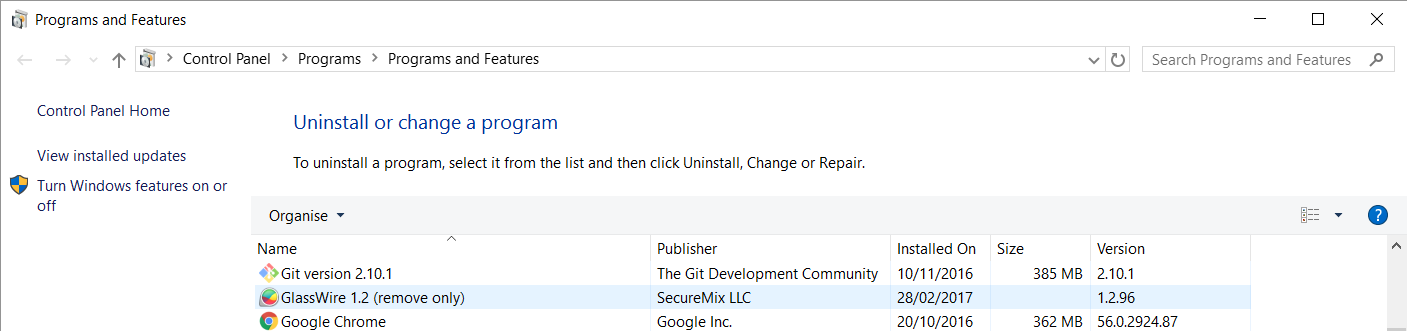
To uninstall GlassWire either:
A. Use the Uninstall button
- Select GlassWire

- Click on the
Uninstall/Changebutton above the list of programs.
B. Use the GlassWire shortcut menu
- Right-click on GlassWire

- Select
Uninstall/Change
The GlassWire uninstall program prompts
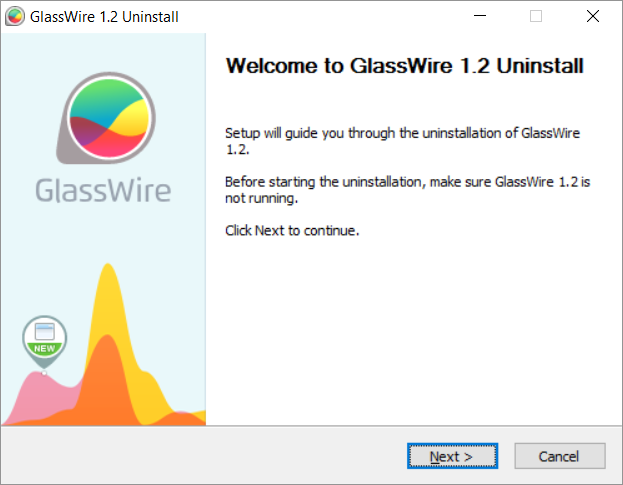
The GlassWire uninstall program should now run. Follow the prompts to complete the uninstall:
- Select the
Nextbutton to continue.
-
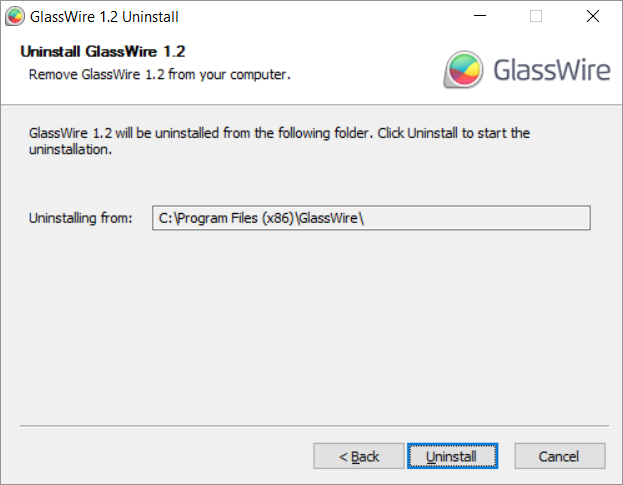
Select the
Uninstallbutton to commence uninstalling GlassWire. This is the last chance to cancel the uninstall so selectCancelif you want to prevent the uninstalling of GlassWire.
-
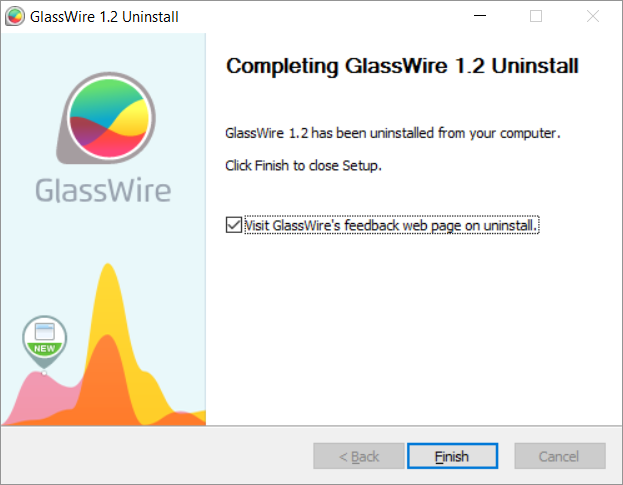
Select the
Finishbutton to close the GlassWire Uninstall program
Issues?
Uninstall program won’t run
If the GlassWire uninstall program does not run, then check that you are using a Windows account with the Administrator account type. Windows has three account types but only the Administrator account has sufficient permissions to remove the GlassWire application. The Standard and Guest account types cannot uninstall GlassWire.
 How to improve this topic
This is a wiki post, like all the other #how-to:glossary topics, so feel free to improve the content. Just leave a reply explaining what you’ve done and why it makes sense to do it that way.
If this topic helped you then please  it so we can see what is most helpful to people.