This has been mentioned before
Virustotal flagging glasswire as virus
Be good if could address this issue. Might just be a false positive.
One would hope the software is not flagged though…
This has been mentioned before
Virustotal flagging glasswire as virus
Be good if could address this issue. Might just be a false positive.
One would hope the software is not flagged though…
I did suspect that it was a false positive. Both engines identifying it as malware were on the obscure side of things. Today, the same two are still identifying it as malware, but no others have started calling it malware.
It does surprise that any company would release software that doesn’t pass all AV engines at VirusTotal. That seems like me to be a simple check-list item that should always be done. And if it was not easily resolved with the AV companies in question, the release notes should indicate that one or more AV engines at VirusTotal are identifying it as malware but that they are guaranteed to be false positives.
I’d love to see other users feedback (of success), but maybe don’t install this yet?..
Yes totally agree..please this should be fix as well @Huda_GlassWire
I don’t see it as much of an issue right now. It is a trusted source, so unless there has been a very sophisticated and targeted attack, it is very unlikely that you have anything to worry about.
Even then, a 0-day of that calibre would likely fly under the radar of all AV providers anyway.
For instance… Notepad++ Hijacked by State-Sponsored Hackers | Notepad++
I may be a little biased, but I think there are bigger problems to solve right now 
I must be a glutton for punishment. But I thought, hey, things couldn’t possibly get worse, right‽‽‽
Installed 3.8 over top of existing installation - not a clean install.
I am in “Ask to connect” mode. And I am using VirusTotal.
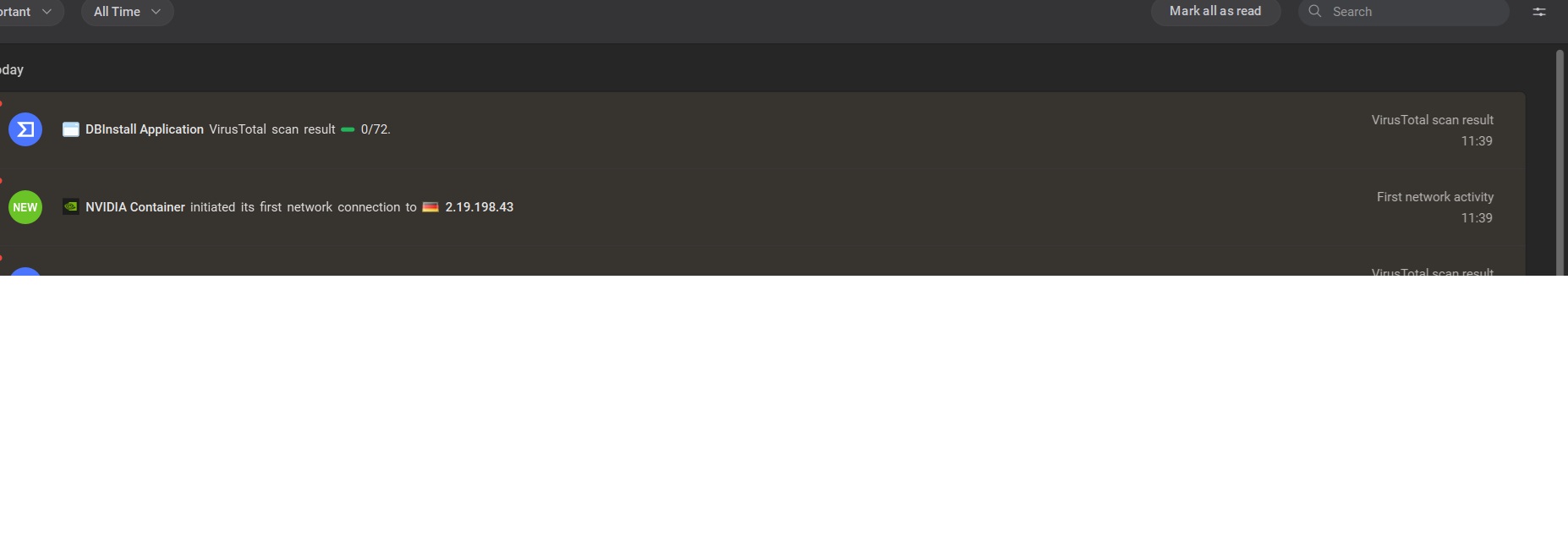
I had a HUGE flurry of apps that needed permission again to access the network. Very much a pain, given I had already granted them permission. Also, a HUGE flurry of notifications from VirusTotal - again - on apps that had already been checked at VirusTotal. Things then settled down.
I don’t really notice any other differences at this early point of using 3.8
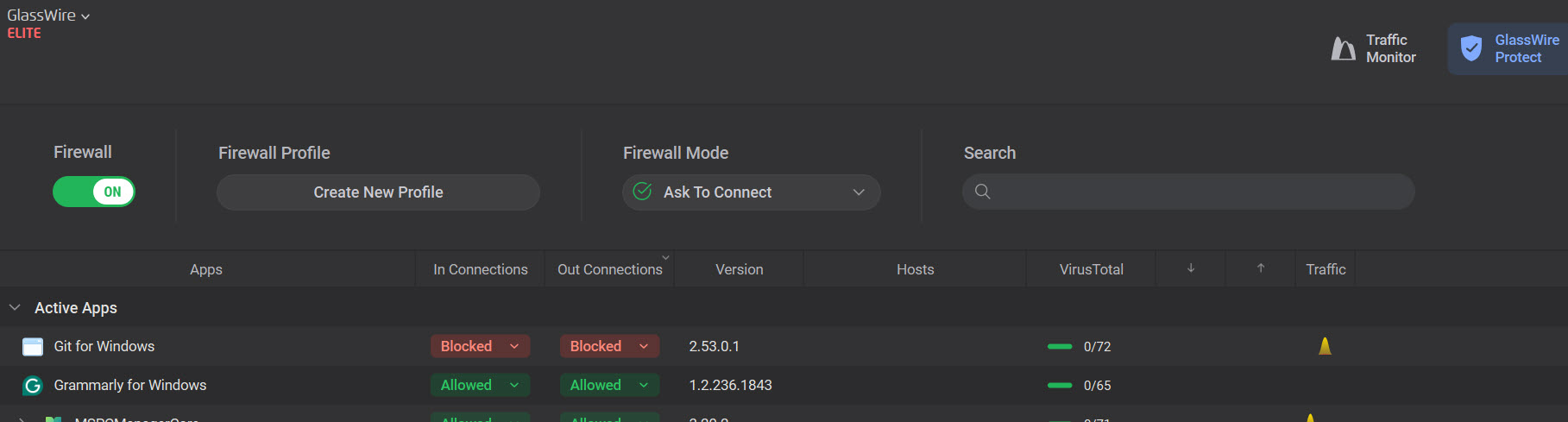
I spoke too soon. With 3.8, I just noticed “Git for Windows” is blocked for both inbound and outbound. I did not notice any “Ask to connect” pop-ups from GlassWire related to “Git for Windows” and certainly did not explicitly say I wanted it blocked.
So a major complaint about 3.7.880 is STILL NOT RESOLVED. Over 6 months after being reported.
Not a good sign…
“When you are getting a headache from banging your head against the wall, the sane person stops banging their head against the wall.”
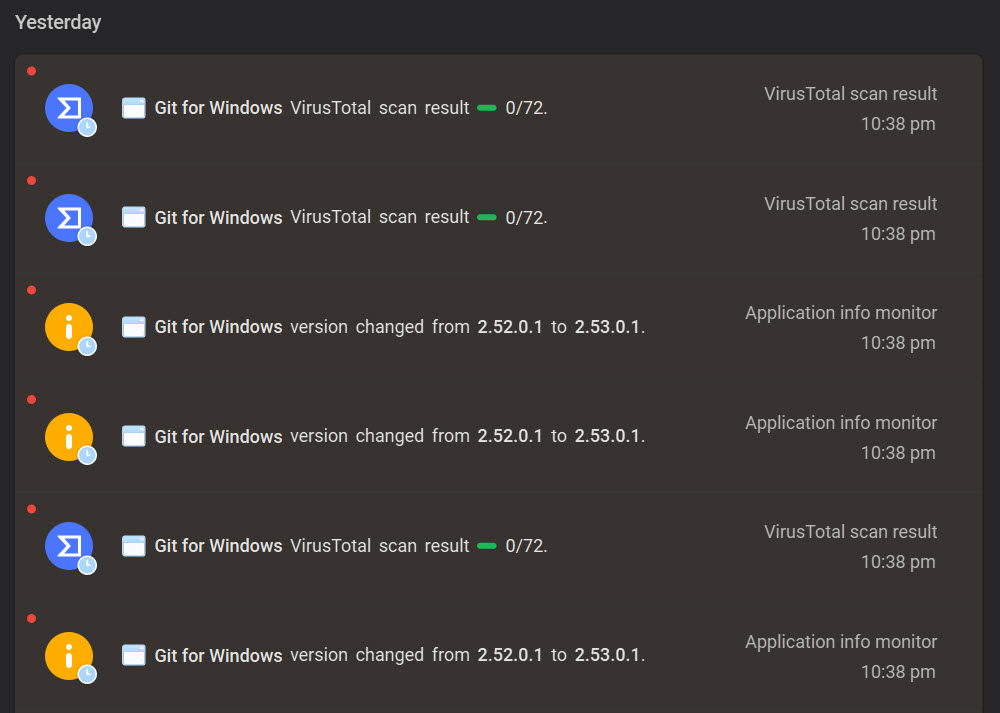
Attaching a screenshot of the log analysis tab (and the “Protect” tab). I know for certain that “Git for Windows” was not blocked by GlassWire prior to “upgrading” to v3.8. I specifically checked the GlassWire Protect tab just prior o going to v3.8 and nothing was blocked for outbound.
I have no clue why the logs show an identical version change 3 times, along with 3 scan results from VirusTotal.
I think things remain seriously broken.
Okay, I am still banging my head against the wall. And GlassWire is still seriously broken. Using in “Ask to connect” and with VirusTotal. GlassWire 3.8.1030.
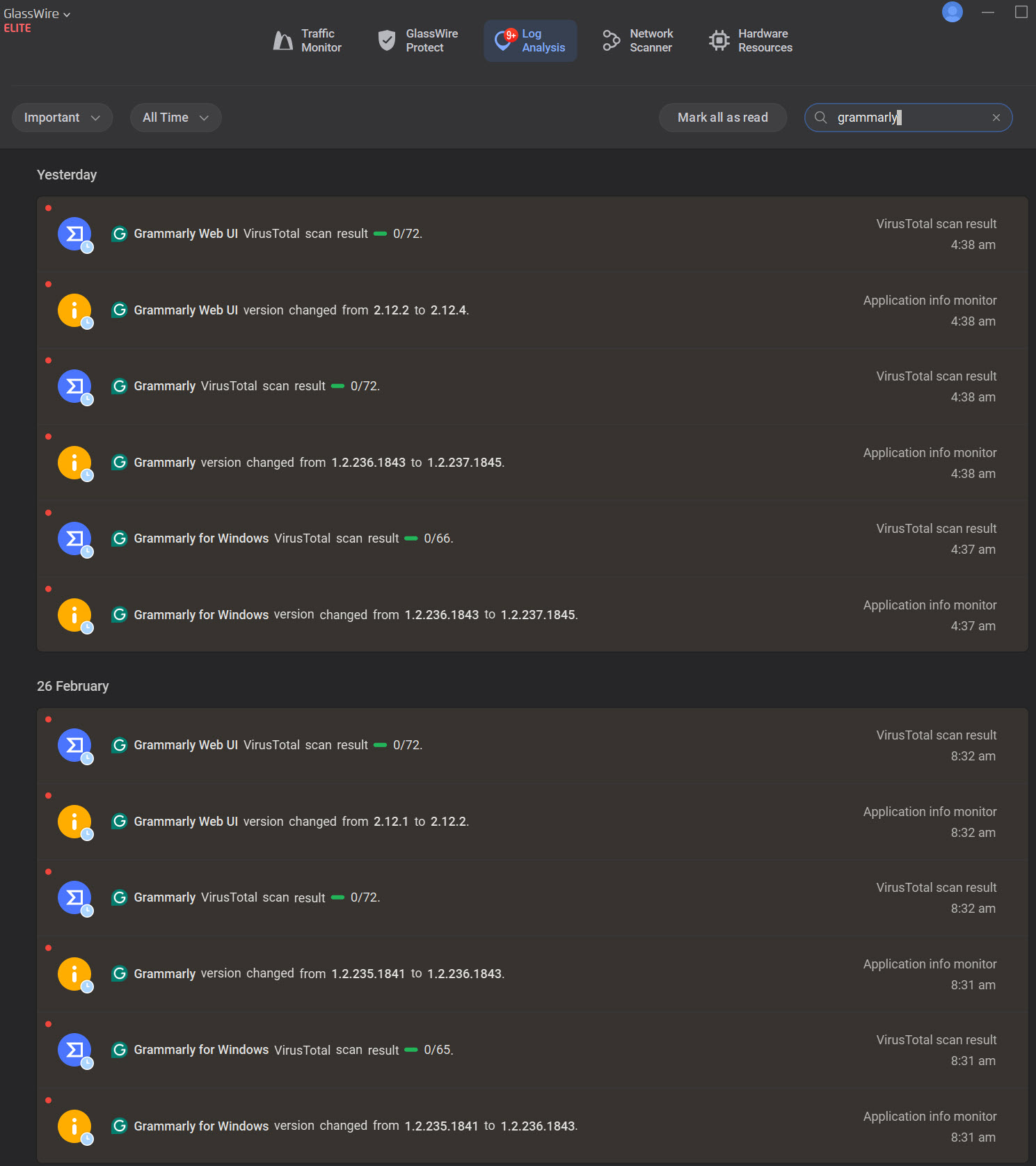
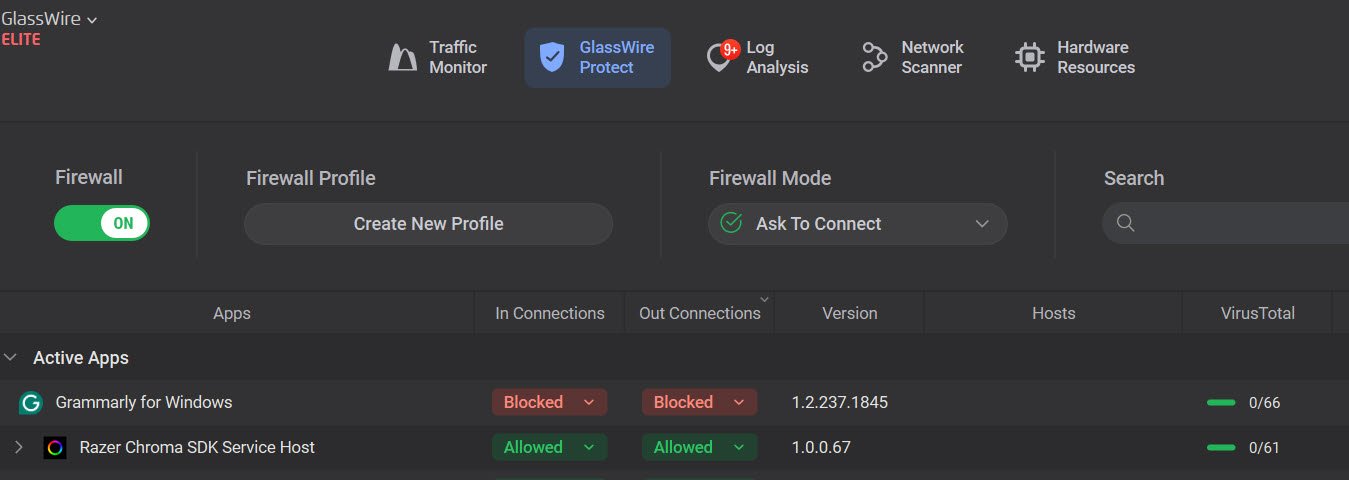
Today, I discovered Grammarly for Windows was blocked. I didn’t specifically block it.
Screenshots showing GlassWire Protect tab and the Log Analysis tab filtered on “Grammarly” with log activity in the last few days.
Regarding VirusTotal flagging our installer as malicious:
Some antivirus engines may temporarily flag new installers for a couple of reasons. GlassWire binaries use code obfuscation to protect them from reverse engineering, which can sometimes trigger heuristic detections. In addition, we recently updated our digital signing certificate after the previous one expired. When this happens, some security tools may treat the file as unfamiliar until it builds reputation again.
We have already contacted the vendors reporting these detections and requested a re-analysis of the installer. One vendor has already cleared the false positive and we expect the others to follow shortly.
Thanks for taking the time to document this and providing your screenshots and details.
From your logs it looks like both Git for Windows and Grammarly are showing newer versions. When an app updates, GlassWire currently treats the new version as a separate entry, so the rule from the previous version doesn’t automatically carry over.
That said, you should still normally see an Ask to Connect prompt when the new version first tries to connect.
A few quick questions that may help us narrow this down:
I’ll share the details you posted with our dev team so they can take a closer look.
Thanks again for testing and reporting what you’re seeing.
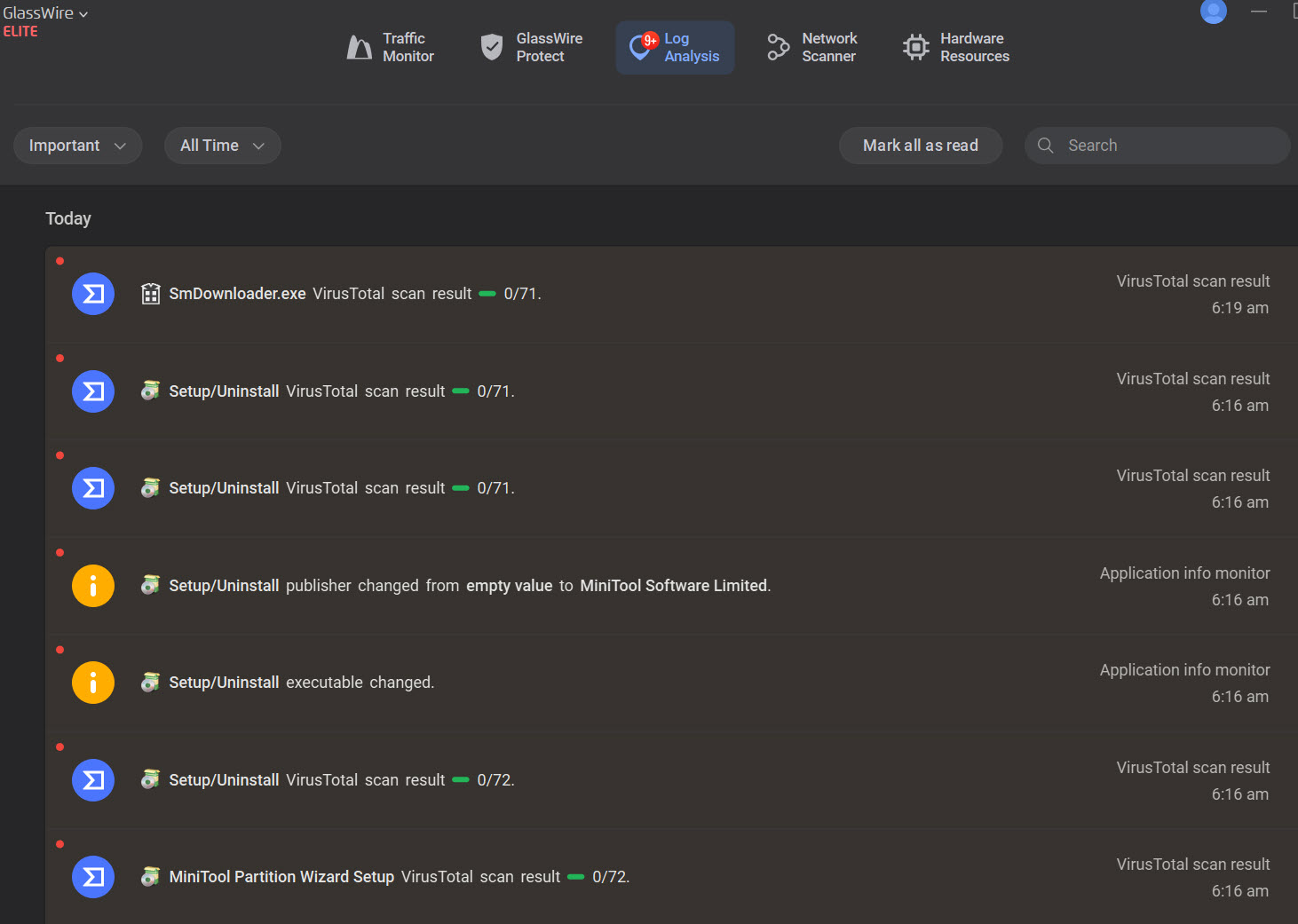
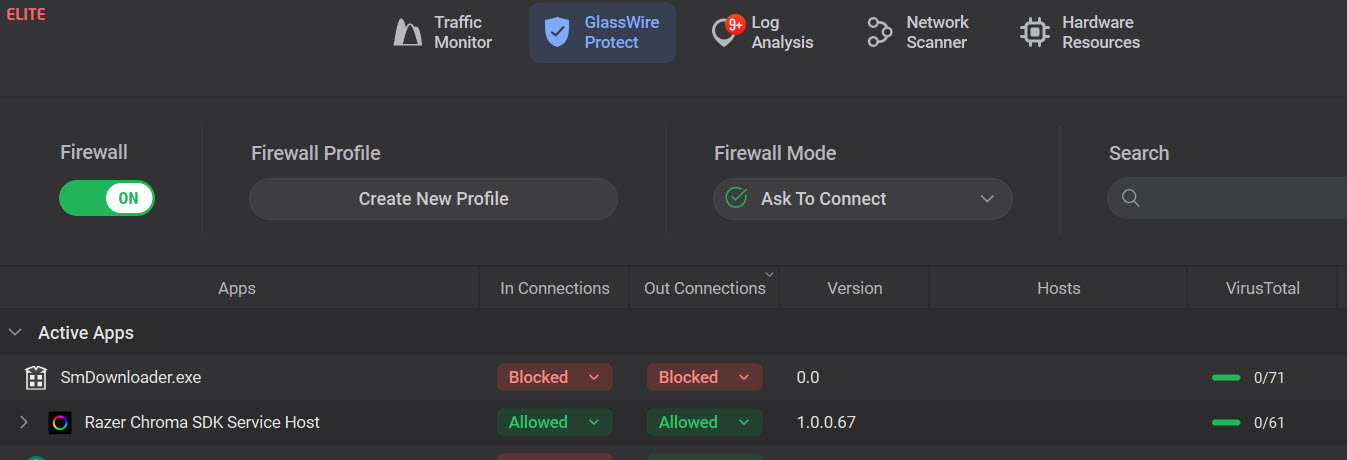
This is getting really old. It happened again. This morning I got a prompt from Minitool Partition Wizard saying an update was available. I clicked to upgrade it. It failed. I checked GlassWire and it blocked smdownloader.exe (see screenshot of Protect tab and Log Analysis tabs. I defintiely did not get any pop-up from GlassWire asking if I wanted to allow it.
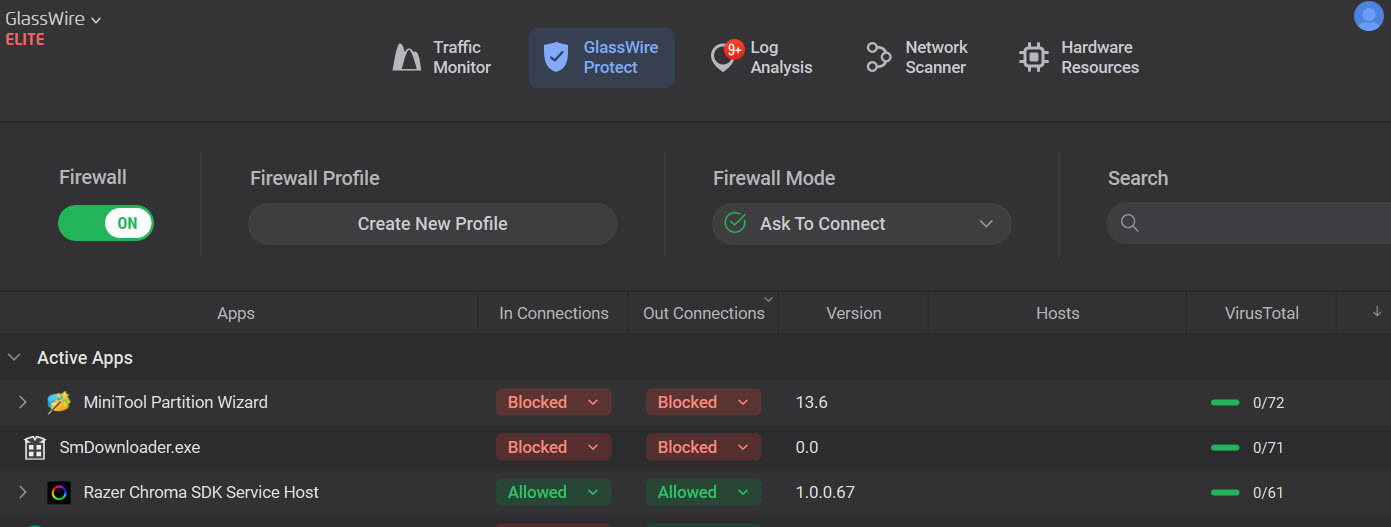
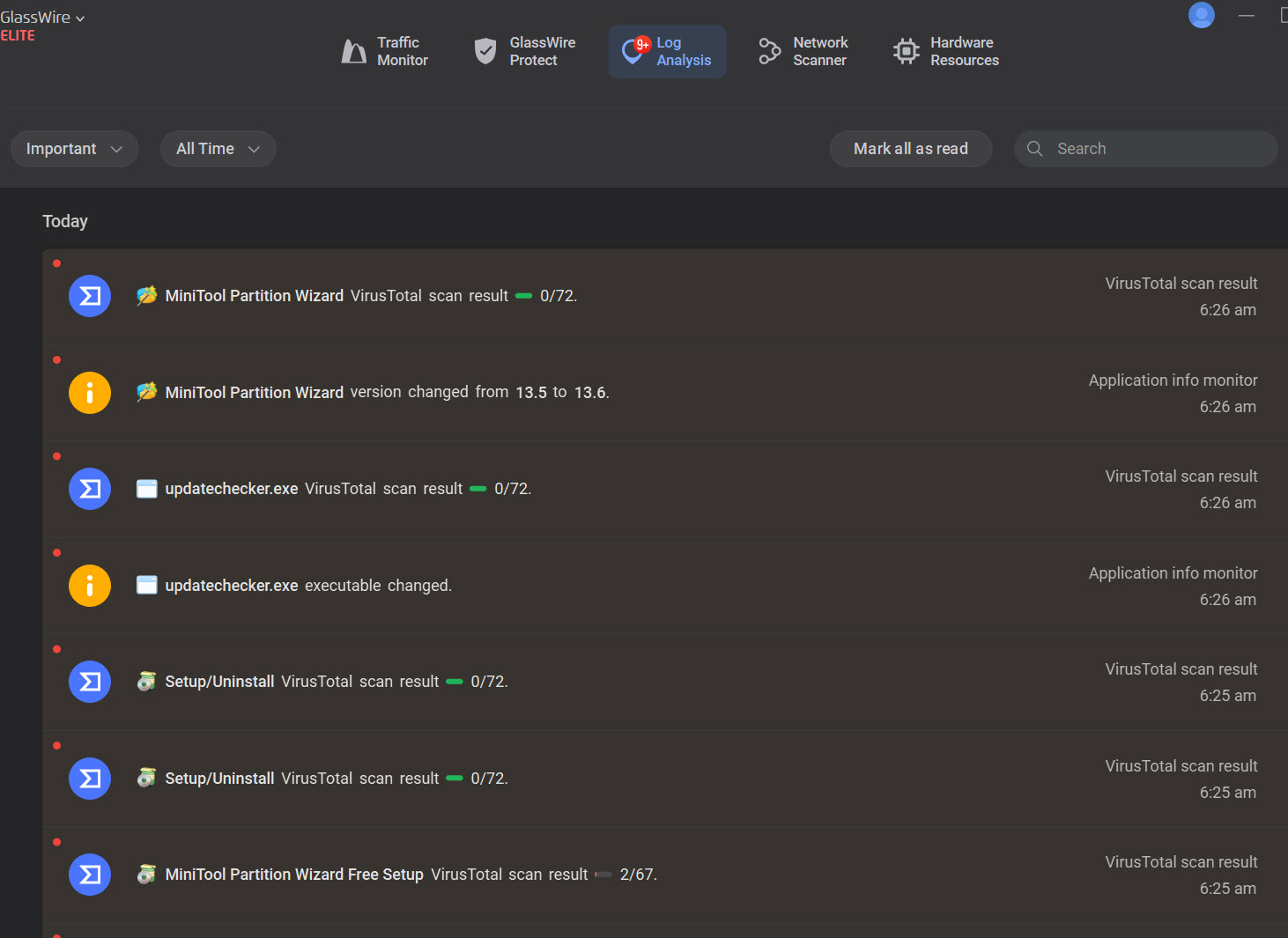
Ongoing saga. Following the advice from Minitool that if the installation of the update failed to download the stand-alone installer. I did that and “Minitool Partition Wizard” was blocked. I did not get any pop-up from GlassWire asking for permission.
@CTaylor That’s super frustrating. I appreciate you sending all these details and screenshots over. I’m passing this info along to our development team to investigate. Feel free to continue sharing any additional detail or unexpected behavior you run into.
Just tested the new 3.8.1033 on Win 11 Pro 25H2.
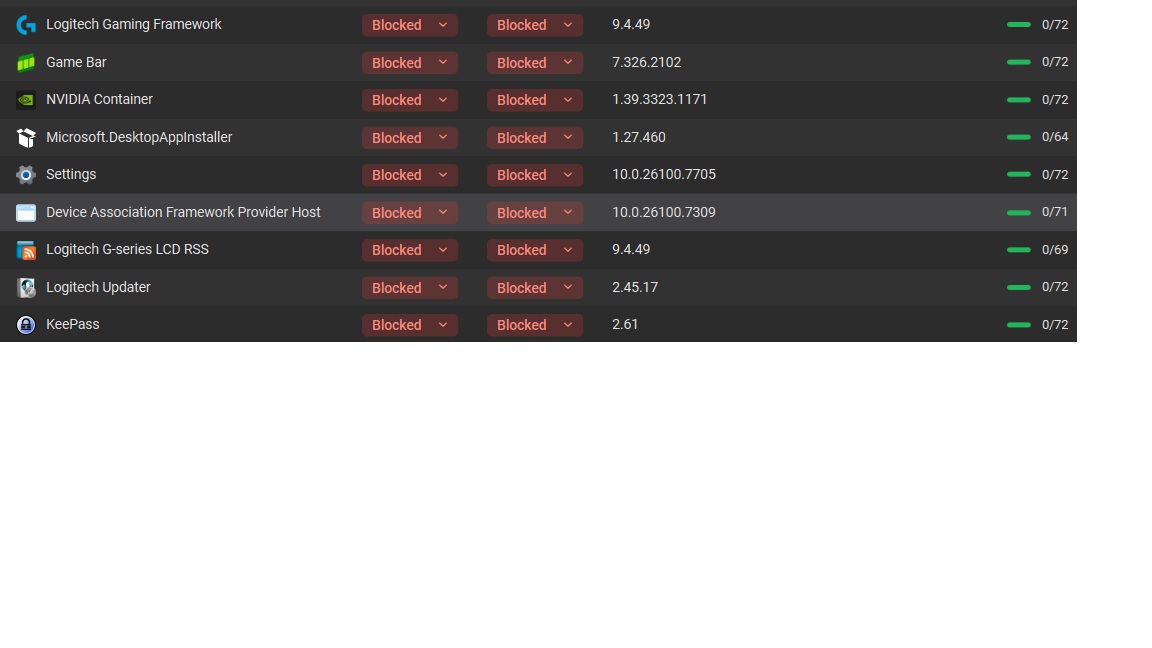
I did an over the top install without changing any default checkboxes in the installer. Then I rebooted the pc. Glasswire lost some of my blocked items in the new version e.g. Nvidia container
At some point later GW asked to allow block Nvidia container (a file that afik never changed between install at all).
Older GW version blocks
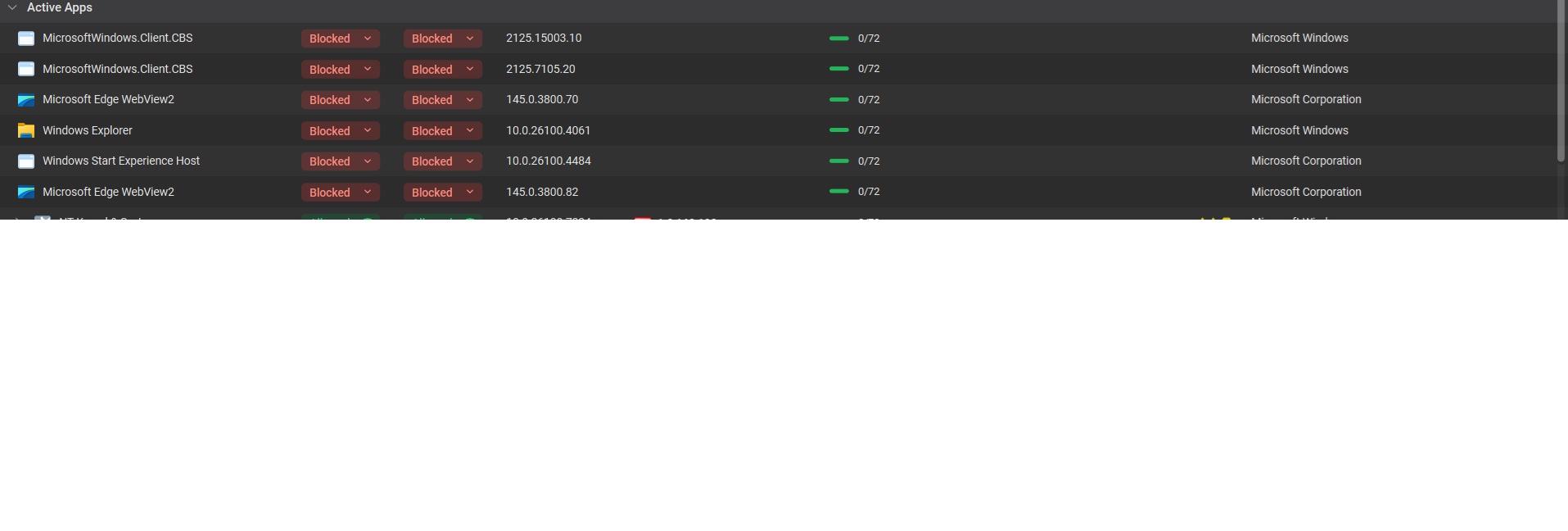
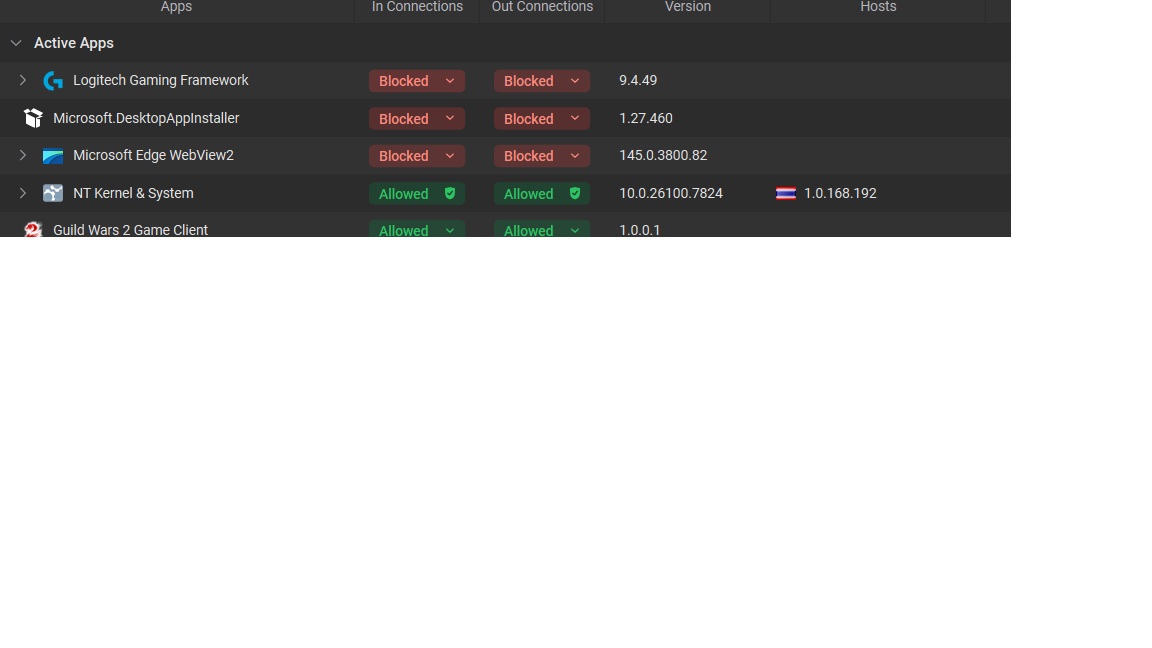
After updating GW to new version:
As you can see GW now has way less blocks shown. Keepass and Nvidia Container are missing and so on.
wow I just checked back to see if they fixed .. looks like still some issues ongoing.
I’m still afraid to update, stuck on 3.6.859, does anyone know what’s the status on that?
Any version containing this bug is not usable for me 
For me it seems the blocking problem is okaish after a day or so sadly I have multiple other bugs in the new version. No fullscreen on first opening, Virus Total results often missing in “GW protect tab” the amount on alerts shown in the GW icon is off(or the “all time” setting in the log analyser).
Atm I’m to lazy to go back but in general the older version was way better working (for me).
But I rarely install software so other people may have a different experience.
It’s amazing that the defective and useless 880 version is still showing as the default. People are still experiencing problems with the latest “trial update version” and no progress or update seems to be happening. I’ve used Glasswire for years and have been using an older, perfectly working version 3.5.821 since the 880 release. I have a few months remaining on my subscription but will not renew unless common sense prevails with the developers.
Hi, is 3.5.821 better than 3.6.859 ? Where can I download it ?
Thanks!